
What Is the Best CRM Workflow for an Abroad Education Consultancy in India?
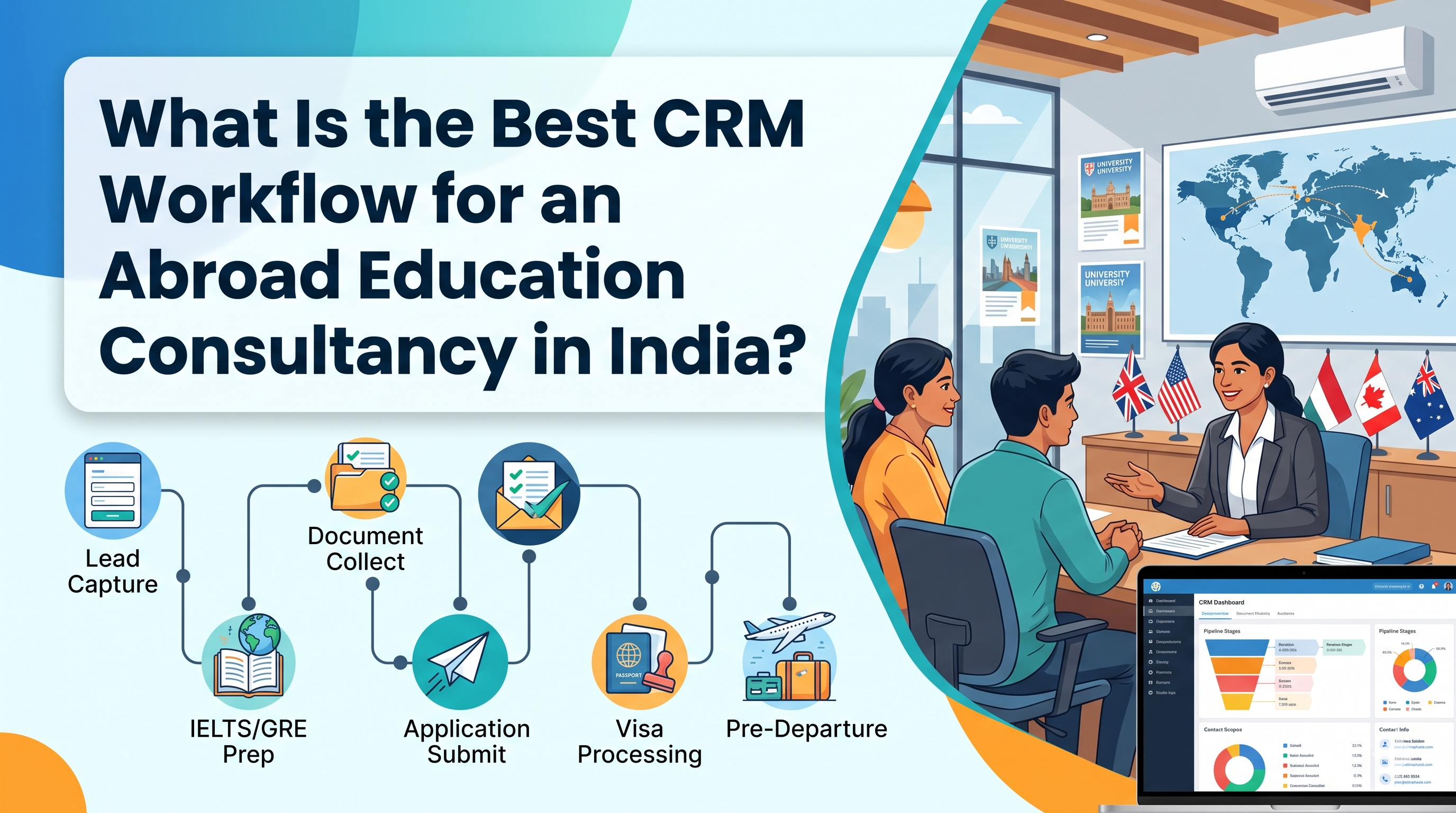
Quick answer: The best CRM workflow for an abroad education consultancy in India is a 9-stage pipeline: Lead Capture → Qualification → Counselling & Shortlisting → Test Prep & Documents → Applications → Offer, Deposit & Finance → Visa → Pre-Departure → Post-Arrival & Referrals. Each stage needs one owner, a clear exit rule, a response-time target and automated WhatsApp/email reminders, with each university application tracked as its own record — so no student is lost between enquiry and enrolment.
Consultancies rarely lose students because of weak counsellors. They lose them in the gaps: the lead nobody called for two days, the SOP stuck in someone’s WhatsApp, the CAS request delayed by a missing deposit receipt. A good Education Consultancy CRM in India closes those gaps — but only when the workflow inside it is designed properly.
This guide gives you a workflow you can copy into any study abroad consultant CRM in India: the stages, who owns each one, the exact fields to capture, the automations to switch on, sample WhatsApp messages, country-specific checkpoints, the KPIs to watch, and a worked example of one student moving through the whole journey.
How this guide was prepared: It is based on the pipeline structures the SmartX CRM team configures for Indian study abroad and overseas education consultancies [editor: confirm and add specifics, e.g. number of consultancies onboarded]. Visa and data-protection points were checked against official and legal sources listed at the end of this article on 19 October 2026. Rules change often — always confirm current requirements with the official source before advising a student.
Why the Workflow Matters More Than the CRM Software Itself
Buying the best CRM for abroad education consultancy in India and importing your Excel sheet into it changes very little on its own. The software is a container; the workflow is what turns enquiries into enrolments.
Indian consultancies face realities that a generic sales pipeline (“New → Contacted → Won”) cannot handle:
- Intake spikes. September and January intakes (and May for some destinations) bring hundreds of leads in a few weeks from Meta ads, education portals, fairs, walk-ins and referrals.
- Long journeys. A student who enquires in March for a September intake may stay in your pipeline 8–12 months, across IELTS/PTE, applications, loans and visa.
- Many stakeholders. Students, parents, sub-agents, universities, banks and NBFCs, and visa centres all touch the same file.
- WhatsApp-first communication. Students and parents expect quick replies on WhatsApp, not formal email threads.
- Multi-country, multi-application files. One student may hold three UK applications and one Canada application at different stages at the same time.
- Commission-based revenue. Much of a consultancy’s income arrives months after enrolment, so tracking must continue after the student flies.
That’s why the right CRM software for study abroad in India must support stage-based pipelines, application-level tracking, document checklists, WhatsApp automation and post-arrival tracking. If you’re still comparing platforms, our guide to CRM software for study abroad explains which capabilities matter before you design your stages.
Generic sales CRM vs study abroad CRM workflow
| Need | Generic sales CRM | Study abroad consultant CRM workflow |
|---|---|---|
| Unit of tracking | One deal per contact | One student + many applications |
| Pipeline length | Days to weeks | Months, across intakes |
| Documents | Optional attachments | Country-wise checklists with verification and expiry |
| Communication | Email-led | WhatsApp-led, with parents involved |
| Deadlines | Sales targets | University, deposit, CAS/I-20/COE and visa deadlines |
| Revenue | At “Won” | Service fees + university commission after enrolment |
The 9-Stage CRM Workflow at a Glance
Use this as your pipeline template and adjust stage names to your team’s language.
| # | Stage | Owner | Goal | Exit rule (move forward when…) | Target response time |
|---|---|---|---|---|---|
| 1 | Lead Capture | System / Telecaller | Every enquiry recorded once | Lead created, source tagged, duplicate check done | Auto-reply in under 5 minutes |
| 2 | Qualification | Telecaller / Pre-counsellor | Separate serious students from browsers | Country, course, intake, budget and test status captured | First call within 1 working hour |
| 3 | Counselling & Shortlisting | Senior Counsellor | Agree on country, course and universities | Shortlist approved by student (and parent) | Session within 48 hours of qualification |
| 4 | Test Prep & Documents | Counsellor / Documentation team | Complete, verified document file | Checklist 100% complete and verified | Reminder every 1–2 days until complete |
| 5 | Applications | Application team | Submit error-free applications | All applications submitted with IDs logged | Within 3 working days of complete file |
| 6 | Offer, Deposit & Finance | Counsellor / Finance desk | Accept an offer and arrange funds | Offer accepted, deposit paid, funds proof ready | Follow-up within 24 hours of each offer |
| 7 | Visa | Visa team | Lodge a strong visa file | Visa lodged, then outcome recorded | File lodged within 7 days of CAS/I-20/COE/LOA |
| 8 | Pre-Departure | Counsellor / Services team | Student ready to fly | Tickets, accommodation, forex, briefing done | Checklist reviewed weekly |
| 9 | Post-Arrival & Referrals | Relationship / Accounts | Enrolment confirmed, commission claimed, referrals asked | Enrolment proof received, invoice raised | 2 and 6 weeks after arrival |
Treat the time targets as starting points and tune them to your team size and lead volume. What matters is that every stage has a target and someone is alerted when it’s missed.
Stage 1: Lead Capture — One Record per Student, Every Source Tagged
The goal: every enquiry lands in the CRM automatically, exactly once, with its source attached.
What to set up:
- Connect website forms, Meta lead ads, Google Ads landing pages, education portals and your WhatsApp Business number so leads enter without manual copying.
- Turn on duplicate detection by mobile number and email — students often enquire twice from different ads.
- Make lead source, campaign, city and branch mandatory fields.
- Send an instant WhatsApp reply that confirms receipt and shares a callback booking link.
- Use round-robin or rule-based assignment — for example, Canada enquiries to the Canada desk, or Surat leads to the Surat branch.
Duplicate-handling rules to agree in advance:
- If the existing lead is active, merge the new enquiry into it and notify the current owner — don’t create a second record.
- If the existing lead was lost more than 6 months ago, reopen it with a new source tag and reassign it fairly.
- If a sub-agent submits a student who already exists as a direct lead, flag it for a manager decision before anyone is paid commission.
Enter walk-in and education fair leads on the spot through a mobile app — a study abroad and education consultant CRM with a mobile app makes this realistic during busy fairs.
Fields to capture at this stage: name, mobile (with WhatsApp yes/no), email, city, source, campaign, branch, enquiry date, WhatsApp marketing consent (yes/no and date).
Stage 2: Qualification — Score Leads Before Counsellors Spend Time
Qualification protects senior counsellors from spending 45 minutes on students who are only browsing.
Capture these fields on the first call:
- Preferred country (or “undecided”)
- Level and course area (UG, PG, diploma; business, IT, healthcare, etc.)
- Target intake (e.g., Sep 2027)
- Last qualification, percentage/CGPA and gap years
- English test status (IELTS/PTE/TOEFL/Duolingo — taken, booked or not started) and score
- Budget range and funding plan (family funds, education loan, scholarship)
- Decision maker (student, parent or both)
- Passport status (valid, expiring, not yet applied)
Example lead-scoring model
| Signal | Points |
|---|---|
| Intake within the next 12 months | +20 |
| English test score already available | +20 |
| Clear budget with funding plan | +15 |
| Parent joined the call or is aware | +10 |
| Valid passport | +10 |
| Came via referral or walk-in | +10 |
| Intake more than 18 months away | −15 |
| “Just exploring”, no country or course in mind | −15 |
A simple rule: 60+ = Hot (book counselling now), 30–59 = Warm (nurture sequence with a call every 2 weeks), below 30 = Cold (monthly newsletter and webinar invites). Review the weights every quarter against which leads actually enrolled.
Lost-reason codes matter. When a lead drops, force a reason — “budget,” “chose another consultancy,” “not eligible,” “postponed to next intake,” “no response after 5 attempts.” These codes show exactly where your funnel leaks. Our guide on what CRM data an abroad education consultancy in India should track lists the fields worth standardising.
Stage 3: Counselling & Shortlisting — Turn Interest into a Plan
This is where trust is built — the CRM keeps counsellors prepared and records every promise.
Workflow steps:
- Auto-create a counselling appointment with reminders to the student and counsellor 24 hours and 1 hour before.
- Show the counsellor the full history: source, qualification answers, previous chats and any documents already shared.
- Build a university shortlist inside the CRM using a course finder, so options are saved against the student profile, not in a notebook.
- Record the service agreement and fee (if you charge one) and send it for e-signature.
- Log next steps with due dates — for example, “Student to book PTE by 15 Nov.”
Counselling notes template (save as a structured note):
- Student goal in their own words
- Countries discussed and why one was preferred
- Universities shortlisted (with course, intake and fee)
- Concerns raised by the student or parent (cost, safety, job prospects)
- Promises made by the counsellor (e.g., “will share scholarship list by Friday”)
Structured notes mean anyone can pick up the file if the counsellor is on leave — and they stop over-promising.
Exit rule: the student (and usually a parent) has approved a shortlist and agreed to proceed. If not, the lead returns to nurture with a follow-up date — never into a dead “Contacted” bucket.
Stage 4: Test Prep & Documents — Build the File Once, Correctly
Document collection is where most delays happen in any CRM software for overseas education consultants in India. Students send photos of mark sheets on WhatsApp, passports expire and SOP drafts go through five versions.
Best practice for this stage:
- Attach a country-specific document checklist automatically when the shortlist is approved (a UK checklist differs from a Canada or Germany checklist — see the country section below).
- Let students upload documents through a portal or WhatsApp link that saves files to their profile.
- Track each document as Pending → Received → Verified → Rejected (with reason).
- Set expiry alerts for passports and English test scores (most English test scores are valid for two years — confirm with the test provider and university).
- Version-control SOPs and LORs so the application team always uses the final draft.
- Send reminders every 1–2 days until the checklist is complete.
Typical core checklist for Indian students: passport, 10th and 12th mark sheets, degree certificate and transcripts, English test scorecard, SOP, LORs, CV/resume, work experience letters (if any), gap explanation (if any), and financial documents for later stages.
If you offer IELTS/PTE coaching in-house, track test booking date, mock scores and final score as fields. A student with a score pending shouldn’t move to Applications unless the university accepts a later submission.
For more on this step, read how CRM software organises student applications for education consultants in India.
Stage 5: Applications — Track Each Application, Not Just Each Student
The biggest mistake is tracking status only at the student level. A student with four applications can’t simply be “Applied” — one may be under review, one rejected and one holding an offer.
Set up an application-level pipeline:
| Application status | What triggers it | Automation |
|---|---|---|
| Ready to Apply | Document checklist verified | Task to application team |
| Submitted | Application ID entered | WhatsApp update to student |
| Under Review | Manual or portal update | Weekly status-check task for team |
| Additional Docs Requested | University query | Urgent task + student alert |
| Conditional Offer | Offer letter uploaded | Notify counsellor to discuss conditions |
| Unconditional Offer | Conditions met | Move student to Stage 6 |
| Rejected | Decision recorded | Prompt counsellor to suggest alternatives |
| Withdrawn | Student chose another offer | Close application, keep record for reporting |
Fields on every application record: university, course, campus, intake, application ID, application date, application fee (paid/waived), channel (direct or via partner/aggregator), offer type, offer conditions, and expected commission.
This record becomes the base for commission tracking in Stage 9 and for reports such as “offer rate by university.”
Show Image <!– IMAGE: use a real (anonymised) screenshot from SmartX CRM. Alt text above. –>
Stage 6: Offer, Deposit & Finance — Don’t Let Offers Go Cold
An offer is not an enrolment. Many students hold offers and then stall over money. This stage keeps momentum.
Workflow steps:
- When an offer arrives, auto-create a “discuss offer” call within 24 hours and send the student a summary of deadlines.
- Track offer acceptance deadline and deposit deadline with countdown reminders to the student and parent.
- For students needing finance, log education loan status (applied, sanctioned, disbursed), lender and loan amount. Partner banks and NBFCs can be tracked as a separate pipeline.
- Record the destination-specific document that unlocks the visa — CAS (UK), I-20 (US), Letter of Acceptance (Canada), COE (Australia), admission letter plus blocked account (Germany).
- Log any additional services (loan support, forex, accommodation, insurance) so revenue per student stays visible.
Tip: create a “Funds Ready” checkbox that can only be ticked once the finance desk has verified the documents against the destination’s current funds rules. That one field prevents many weak visa files.
Stage 7: Visa — A Separate, Deadline-Driven Pipeline
Visa work deserves its own pipeline because deadlines are strict and mistakes are expensive.
Recommended visa stages:
- Visa Docs Pending
- Financial Documents Verified
- Application Form Filled
- Biometrics / Interview Appointment Booked
- Visa Lodged
- Decision Awaited
- Visa Granted / Refused
Automations to switch on:
- Reminder to the student 48 hours before biometrics or interview appointments, with the document list.
- Escalation to the branch manager if a file sits in “Visa Docs Pending” longer than your target.
- On refusal: record the refusal reason, attach the refusal letter and create a counsellor task to plan a reapplication or alternative country.
Recording outcomes gives you a real visa success rate by country, counsellor and branch — far more trustworthy than a number estimated from memory.
Stage 8: Pre-Departure — Close the Loop Before the Flight
Well-supported students become your best referrers.
- Pre-departure checklist: flight ticket, accommodation, forex card, travel insurance, airport pickup, packing guidance, local SIM.
- Invite students to a pre-departure briefing (online or in person) with automated reminders.
- Collect travel date and arrival city to schedule post-arrival follow-ups.
- Ask for a Google review at this high-satisfaction moment.
Stage 9: Post-Arrival, Commission & Referrals — Where Profit Is Recorded
Stopping once the student flies leaves money and referrals on the table.
- Schedule check-ins at 2 weeks and 6 weeks after arrival.
- Request enrolment confirmation (student ID or enrolment letter) — universities usually need it before paying commission.
- Raise and track commission invoices by university and intake; flag overdue payments after 60 days.
- Run a referral request sequence — friends and younger siblings are your lowest-cost leads.
- Tag the student as alumni for testimonials, webinars and future postgraduate or work-visa advice.
Country-Specific Checkpoints to Build into Your CRM
Each destination needs its own checklist and visa sub-stages. The table below lists the key checkpoints as of October 2026. Always confirm current rules on the official government site before advising students — they change frequently.
| Destination | Visa-unlocking document | Key checkpoints to track in the CRM | Recent change worth noting |
|---|---|---|---|
| UK | CAS from the university | Deposit paid, CAS issued, funds held for the required period, visa application and biometrics | Check maintenance-funds rules on GOV.UK each intake |
| Canada | Letter of Acceptance (LOA) | Proof of funds, study permit application, biometrics | Cost-of-living funds requirement rose for applications made on or after 1 September 2026 (CAD 23,448 for a single applicant outside Quebec, plus tuition and travel). A GIC is one accepted proof of funds, not the only one. |
| USA | I-20 from the school | SEVIS fee, DS-160, visa interview booking and outcome | Interview slots vary by consulate — track booking dates closely |
| Australia | COE (Confirmation of Enrolment) | Genuine Student questions, financial capacity, health insurance (OSHC) | The Genuine Student requirement replaced GTE for applications lodged from 23 March 2024 |
| Germany | University admission letter | Blocked account, health insurance, visa appointment | Blocked-account amount is revised periodically — check German missions in India |
Build these as country templates in your CRM: when a student’s shortlist is approved for Canada, the Canada checklist and visa stages attach automatically.
Automations That Make This Workflow Run Itself
A workflow is only as good as its triggers. These are the automations every best study abroad CRM software in India should support:
| Trigger | Automatic action |
|---|---|
| New lead created | WhatsApp welcome message + assign counsellor + create call task |
| No first call in 1 hour | Alert to telecaller and team lead |
| Lead untouched for 3 days | Re-assign or escalate to manager |
| Counselling booked | Reminders 24h and 1h before to both sides |
| Document checklist incomplete | WhatsApp reminder every 1–2 days with upload link |
| Passport/test score expiring within 90 days | Alert counsellor and student |
| Offer letter uploaded | Notify counsellor + send deadline summary to student |
| Deposit deadline in 7 days | Reminder to student and parent |
| Visa appointment booked | Reminder 48h before with document list |
| Visa refused | Task for counsellor + capture refusal reason |
| Student arrived | Schedule 2-week and 6-week check-ins |
| Commission invoice overdue 60 days | Alert to accounts team |
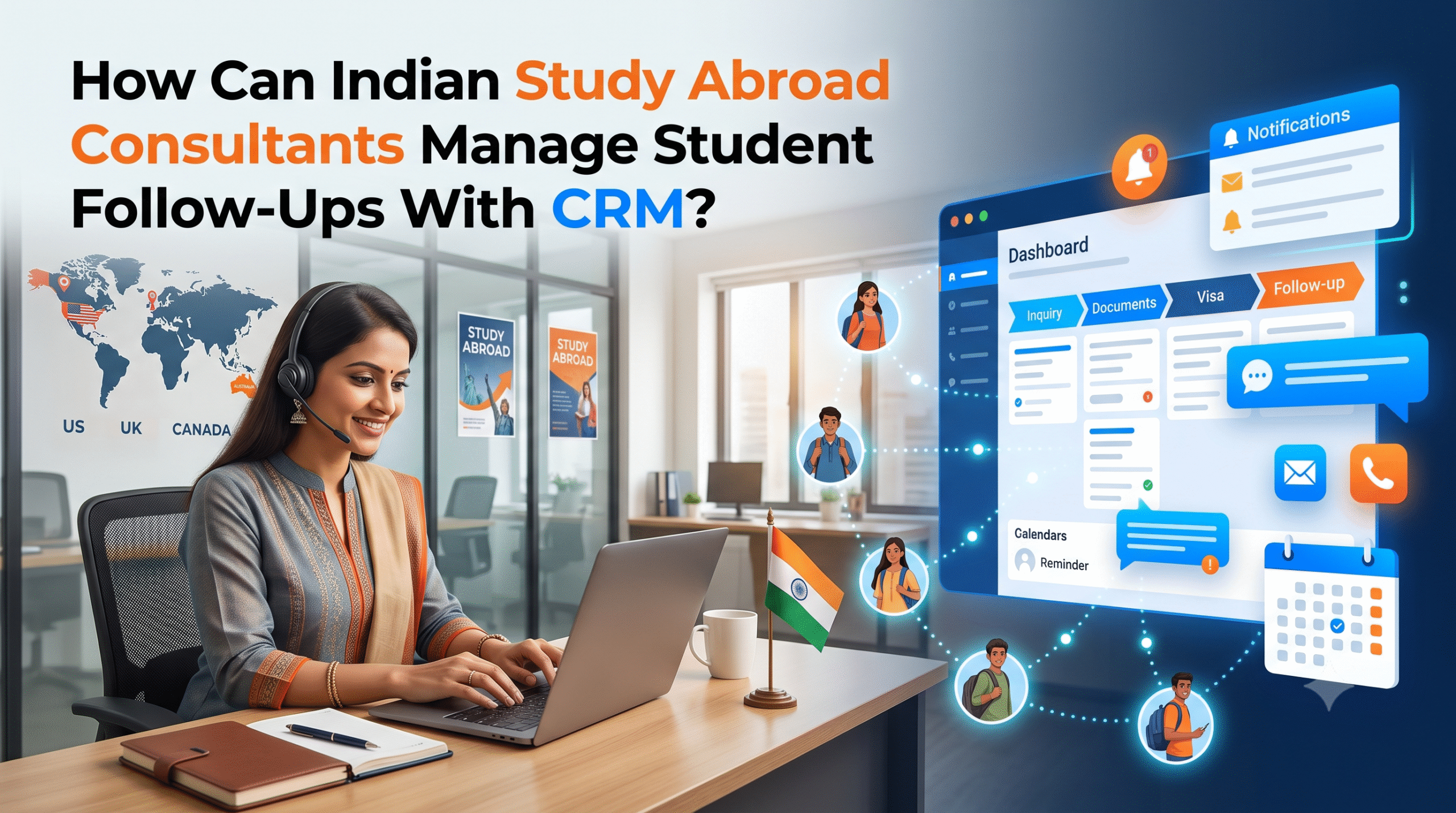
For practical message flows, see our guide on WhatsApp automation for education consultants. For reminder sequences, read how to manage student follow-ups with a study abroad CRM.
Sample WhatsApp Messages for Key Stages
Under WhatsApp Business Platform rules, you can reply freely within 24 hours of a student’s last message. Outside that window, you need a pre-approved message template and the student’s opt-in. Record opt-in in the CRM and keep templates short and specific. Adapt these examples to your brand voice:
1. New enquiry (instant):
Hi {{name}}, thanks for your enquiry about studying in {{country}}. I’m {{counsellor}} from {{consultancy}}. Pick a time for a free 15-minute call here: {{booking_link}}
2. Document reminder:
Hi {{name}}, your {{country}} application file is {{percent}}% complete. Still needed: {{missing_documents}}. Upload here: {{upload_link}}
3. Offer received:
Great news, {{name}}! You have an offer from {{university}} for {{course}}. Please accept by {{acceptance_deadline}}. Your counsellor will call you within 24 hours to discuss next steps.
4. Visa appointment reminder:
Hi {{name}}, reminder: your visa appointment is on {{date}} at {{time}}, {{centre}}. Please carry: {{document_list}}. Reply here if you have any questions.
Worked Example: One Student Through the Full Workflow
This is an illustrative example to show how the stages connect — not a real student.
Riya, B.Com graduate from Vadodara, wants an MSc in Finance in the UK for the September 2027 intake.
- Lead Capture (Day 0): Riya fills in a Meta lead form at 9:40 pm. The CRM creates her record, tags the source as “Meta – UK PG campaign”, checks for duplicates and sends a WhatsApp welcome with a booking link. She is assigned to the UK desk.
- Qualification (Day 1): The telecaller calls at 10:15 am. Riya has 72% in B.Com, no gap year, an IELTS booked for next month, a budget plan with a partial education loan, and her father is involved. Her score is 65 — Hot.
- Counselling (Day 3): Riya and her father meet the senior counsellor. Four UK universities are shortlisted in the CRM, with one Canada backup. The service agreement is e-signed.
- Documents (Days 4–30): The UK checklist attaches automatically. Reminders go out every two days. Her IELTS score is entered on Day 28 and the file is verified on Day 30.
- Applications (Days 31–33): Five application records are created — four UK, one Canada — each with its own ID and status.
- Offers (Weeks 6–10): Two conditional and one unconditional UK offer arrive. One UK application is rejected; the counsellor is prompted to discuss alternatives. Riya accepts the unconditional offer; the other applications are marked “Withdrawn.”
- Finance (Weeks 10–14): Loan status moves from Applied to Sanctioned. Deposit reminders go to Riya and her father. The deposit is paid and the CAS is issued.
- Visa (Weeks 14–17): The visa pipeline runs from “Docs Pending” to “Lodged.” A biometrics reminder is sent 48 hours before. The visa is granted.
- Pre-departure and post-arrival: Riya attends the briefing, leaves a Google review, and gets check-ins at 2 and 6 weeks. Her enrolment letter triggers the commission invoice, and she refers a friend — who enters the CRM tagged “Referral – Riya.”
Without the CRM, this journey lives in four WhatsApp chats, two Excel sheets and a counsellor’s memory.
Team Roles, Branches, Sub-Agents and Data Protection
As you grow beyond one office, permissions and roles become part of the workflow.
| Role | Can see | Can do |
|---|---|---|
| Telecaller / pre-counsellor | New and qualifying leads assigned to them | Call, qualify, book counselling |
| Counsellor | Their own students | Counselling, shortlists, notes, follow-ups |
| Application team | Students in Stages 4–6 across branches | Submit and update applications |
| Visa team | Students in Stage 7 | Manage visa pipeline |
| Branch manager | All branch data and escalations | Reassign leads, review KPIs |
| Owner / admin | Everything | Reports, exports, settings |
| Sub-agent (B2B partner) | Only students they submitted | Submit students, view status |
If many students come through partners, a dedicated B2B sub-agent management module keeps partner files separate and commissions clear.
Data protection: India’s Digital Personal Data Protection Act, 2023 and the DPDP Rules were notified on 13 November 2025, with most obligations — notice, consent, security safeguards and data principal rights — applying from May 2027. Consultancies hold sensitive files such as passports, mark sheets and bank statements, so use the time now to:
- record consent and its purpose on every student record,
- restrict exports and downloads to admins,
- keep an access log of who viewed or changed documents,
- set retention rules (for example, archive files of students who didn’t proceed after a fixed period), and
- have a process to respond to a student’s request to access or delete their data.
This is general information, not legal advice — check with a qualified advisor for your consultancy’s obligations. For more, see our education consultancy CRM data security guide.
KPIs to Track at Every Stage
You can’t improve what you don’t measure. Build one dashboard with these numbers:
| Stage | KPI | Why it matters |
|---|---|---|
| Lead Capture | Leads by source, cost per lead, duplicate rate | Shows where marketing money goes |
| Qualification | First-response time, qualified-lead % | Slow responses lose students to faster consultancies |
| Counselling | Show-up rate, counselling-to-sign-up % | Measures counsellor effectiveness |
| Documents | Average days to complete file | Reveals your biggest bottleneck |
| Applications | Applications per student, offer rate by university | Guides shortlisting quality |
| Offer & Finance | Offer-to-deposit conversion %, loan sanction rate | Shows where students stall over money |
| Visa | Visa success rate by country and counsellor | Highlights training needs |
| Post-Arrival | Enrolment confirmation %, commission collected, referrals per student | Shows real revenue and loyalty |
Reporting cadence
- Daily (team leads): untouched leads, overdue tasks, today’s appointments.
- Weekly (counsellors): stage conversion, documents pending, offers awaiting decisions.
- Monthly (owners): enquiry-to-enrolment conversion by lead source, visa success rate, commission received vs. invoiced.
The most useful single number is enquiry-to-enrolment conversion by lead source — it shows which marketing spend produces students, not just leads.
Show Image <!– IMAGE: use an anonymised SmartX reports screenshot. Alt text above. –>
7 Common CRM Workflow Mistakes Indian Consultancies Make
- Too many stages — keep the main pipeline to 8–10 and use sub-statuses.
- Tracking students, not applications — causes wrong status reports and missed university queries.
- No exit rules — every counsellor uses stages differently.
- WhatsApp outside the CRM — chats on personal phones vanish when a counsellor leaves.
- No lost reasons — you can’t fix leakage you can’t see.
- Manual follow-ups — memory fails during peak intake.
- Stopping at the visa — commission and referrals get lost.
How to Set Up This Workflow in 30 Days
Week 1 — Design: Map your current journey on paper, agree on the 9 stages and exit rules, list mandatory fields, and decide lead-scoring weights and lost-reason codes.
Week 2 — Configure: Build three pipelines (lead, application, visa), country checklists, user roles, permissions and assignment rules.
Week 3 — Connect & import: Connect lead sources and WhatsApp, get message templates approved, import existing students into their correct stages, and switch on the automations above.
Week 4 — Train & go live: Train each role only on its stages, pilot with one branch or country desk, fix issues, then roll out and review the KPI dashboard at the end of the week.
To plan budget, see what CRM implementation actually costs for a counselling team.
How SmartX CRM Supports This Workflow for Indian Consultancies
SmartX CRM is built as a study abroad and education consultant CRM for Indian consultancies, so the workflow above maps directly onto its modules:
- Lead capture and assignment from forms, ads and portals, with automated follow-ups.
- Document management with checklists and uploads stored against each student.
- Application management to track multiple applications per student across universities and countries.
- Visa tracking for stage-wise visa progress and deadlines.
- University course finder to build shortlists during counselling.
- WhatsApp automation through SmartX WA Daddy for reminders and updates at every stage.
- B2B sub-agent management and reports for branch, counsellor and source-level KPIs.
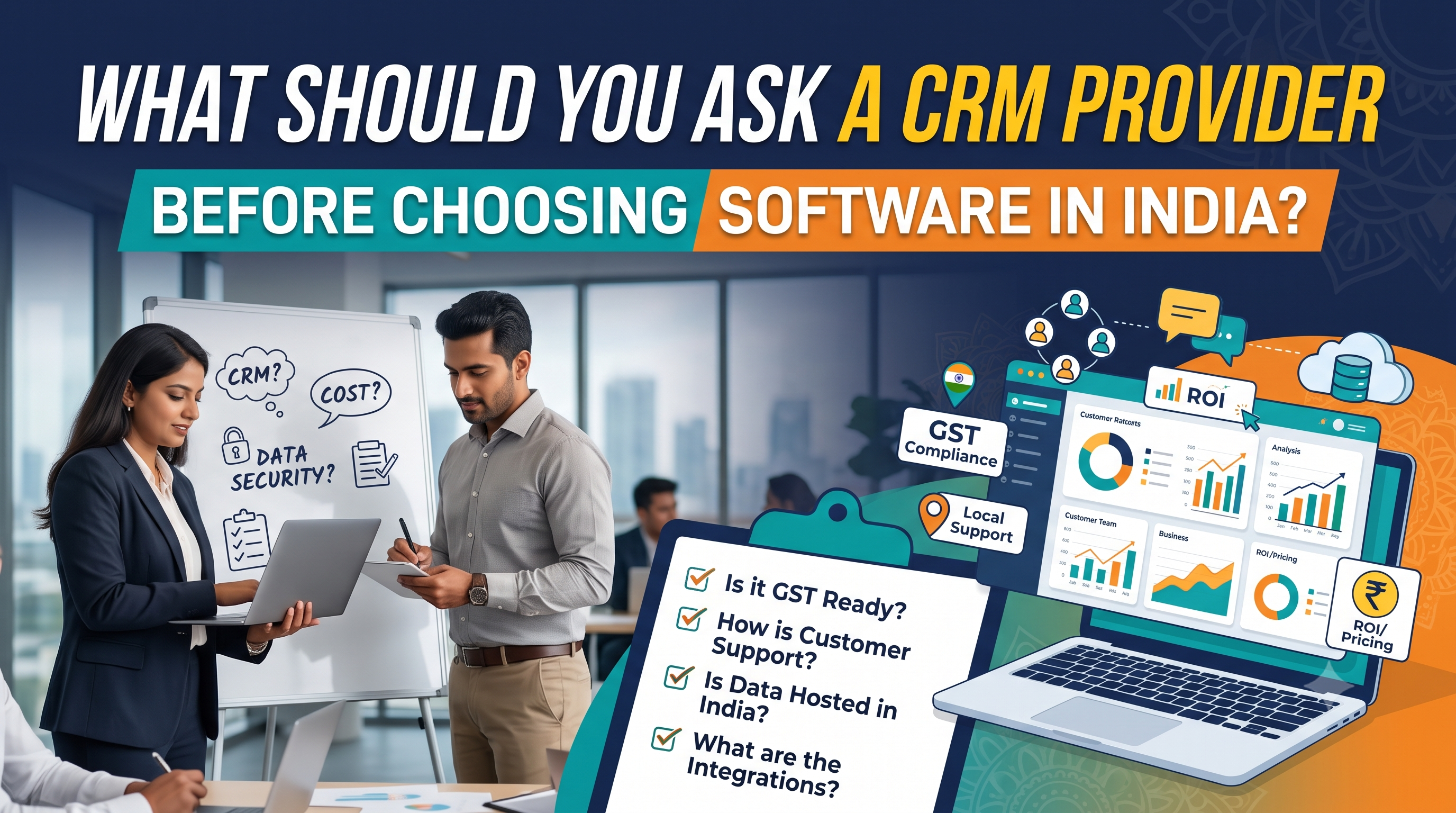
If you’re still choosing a platform, our study abroad CRM comparison guide and our page on the best CRM for abroad education consultancy in India give a side-by-side view. Before you sign up anywhere, use our list of questions to ask a CRM provider in India. You can also see the full journey in our enquiry to admission guide for Indian education consultants.
Frequently Asked Questions
What is the best CRM workflow for an abroad education consultancy in India?
A 9-stage workflow works best: Lead Capture, Qualification, Counselling & Shortlisting, Test Prep & Documents, Applications, Offer/Deposit/Finance, Visa, Pre-Departure, and Post-Arrival & Referrals. Each stage should have a single owner, a clear exit rule, a response-time target and automated reminders.
How many pipeline stages should a study abroad consultant CRM have?
Keep the main student pipeline to about 8–10 stages and use sub-statuses or separate application and visa pipelines for detail. Too many top-level stages make reporting unreliable because counsellors use them inconsistently.
Should a study abroad CRM track students or applications?
Both. Track the student journey at the profile level, but track each university application as its own record, because one student can hold several applications at different stages at the same time.
Which automations matter most in CRM software for study abroad in India?
The highest-impact automations are an instant WhatsApp reply to new leads, escalation when a lead isn’t called within an hour, document reminders until the file is complete, offer and deposit deadline reminders, and visa appointment reminders.
How should a consultancy score study abroad leads?
Give points for signals that predict enrolment — a near intake, an English test score in hand, a clear budget, parent involvement and a valid passport — and subtract points for distant intakes or no clear plan. Review the weights every quarter against students who actually enrolled.
Can I send WhatsApp reminders to students automatically?
Yes, through the WhatsApp Business Platform. You can reply freely within 24 hours of a student’s message; outside that window you need pre-approved templates and the student’s opt-in, which should be recorded in your CRM.
How does a CRM help improve visa success rates?
A CRM doesn’t decide visas, but it reduces avoidable errors: verified document checklists, funds verification, deadline reminders and recorded refusal reasons help counsellors submit stronger files and learn from past refusals.
How long does it take to set up a CRM workflow for an education consultancy?
A small or mid-sized Indian consultancy can design, configure and go live with a structured workflow in about 30 days, starting with a pilot branch or country desk before full rollout.
Conclusion: The Best CRM Workflow Is the One Your Team Actually Follows
The best CRM workflow for an abroad education consultancy in India isn’t the most complex one — it’s a clear 9-stage journey where every stage has an owner, an exit rule, a time target and automation behind it. Track applications separately from students, build country templates, keep WhatsApp inside the CRM, record why leads are lost, protect student data, and don’t stop tracking when the student boards the plane.
Get this right and your Education Consultancy CRM in India becomes your business’s operating system, not just another database.
Ready to run this workflow in a CRM built for Indian study abroad consultancies? Book a free SmartX CRM demo and see the full enquiry-to-enrolment pipeline in action.

Leave a comment: