
Quick answer: An education consultancy CRM in India keeps every student enquiry, counselling note, university application, document and visa step in one system, so counsellors stop losing files across WhatsApp and Excel. EduCa CRM by SmartX CRM does this for study abroad consultants, with plans from $999 a year listed on the SmartX pricing page.
This guide explains what an education consultancy CRM in India should do, how EduCa CRM handles each step of a student file, what it costs, and how to choose one without regret. We describe EduCa features only as they appear on our own product pages, and we link the official visa sources we checked.
What is an education consultancy CRM in India?
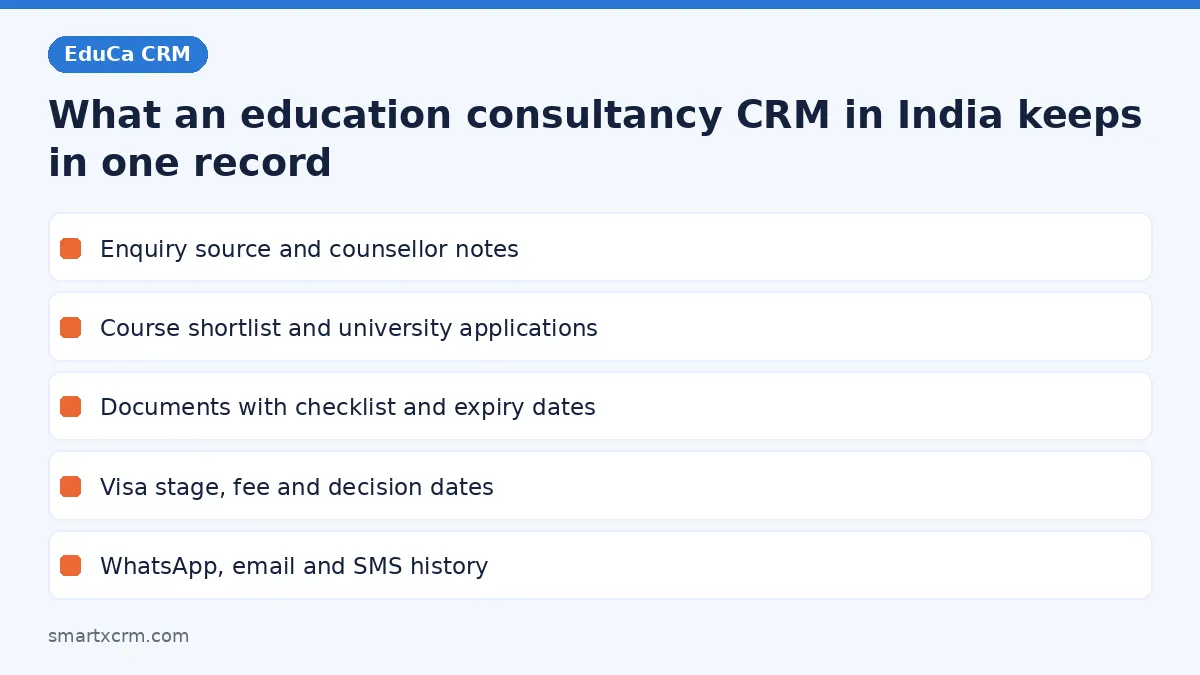
An education consultancy CRM in India is software that tracks a student from the first enquiry to the visa decision. It replaces scattered spreadsheets, WhatsApp groups and paper files with one shared record per student.
The market is large. In a Rajya Sabha answer, the Ministry of External Affairs reported 12,54,013 Indian students in university or tertiary education abroad as on January 2025 (MEA data, PDF). Canada, the USA, Australia and the UK were among the largest destinations in that table.
A sales CRM follows one lead to one deal. A study abroad file is different. One student may apply to five universities in two countries, upload 20 or more documents, and involve parents in every fee decision. That is why consultancies need a CRM built for this flow.
Which problems does an education consultancy CRM solve?
It solves the gaps where students drop out of your funnel: slow replies, missed follow-ups, lost documents and forgotten expiry dates. The table maps each common problem to the EduCa module that handles it.
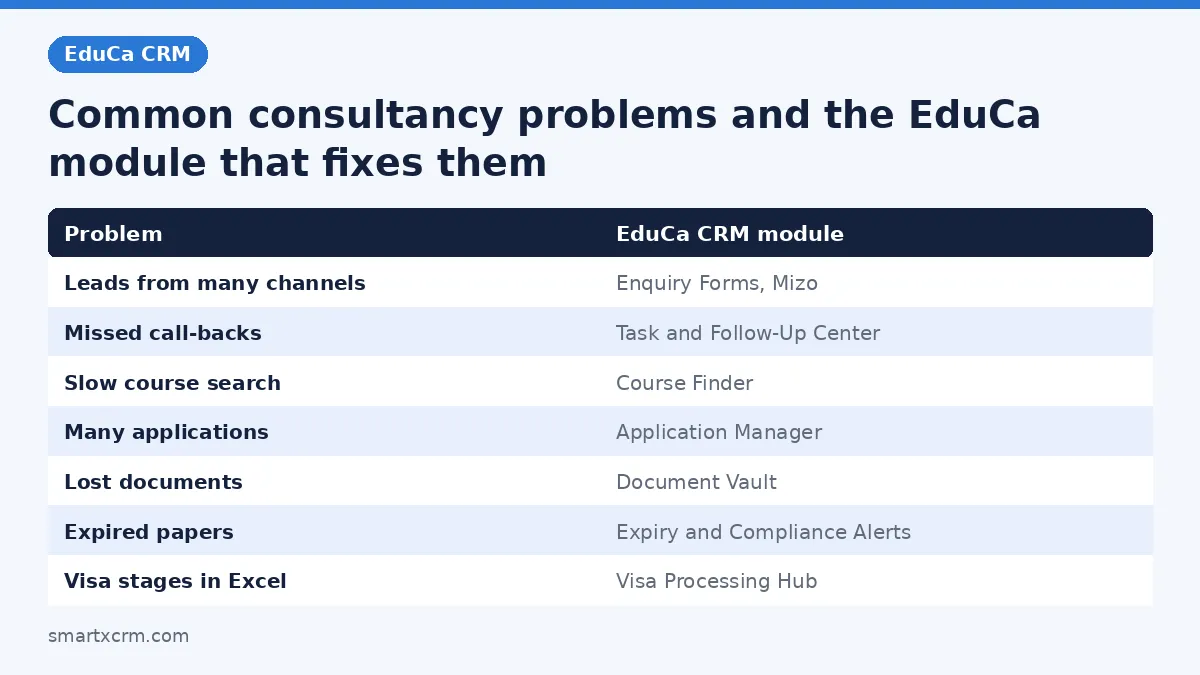
| Problem in the consultancy | What the CRM should do | EduCa CRM module |
|---|---|---|
| Enquiries come from website, ads, walk-ins and WhatsApp | Capture all of them into one list | Enquiry Forms and Mizo (Lead Management) |
| Counsellors forget call-backs | Create tasks and reminders automatically | Task and Follow-Up Center, Automation Engine |
| Shortlisting courses takes hours | Filter courses by country, university and intake | Course Finder |
| One student, many applications | Track each application on its own | Application Manager |
| Documents spread across phones and email | Store files per student with a checklist | Document Vault |
| Passport, test score or offer letter expires | Warn the team before the date | Expiry and Compliance Alerts |
| Visa stages tracked in Excel | Show the visa stage on the student record | Visa Processing Hub |
| Sub-agents send leads by phone | Give partners a controlled login | Sub-Agent Network and Partner Portal |
| Owner cannot see who is converting | Reports by counsellor, source and stage | Reports and Dashboard |
How does EduCa CRM handle a student file, step by step?
EduCa CRM moves a student through nine stages, from enquiry to pre-departure, inside one record. Here is how a typical file runs, using the feature names on the EduCa CRM product page.
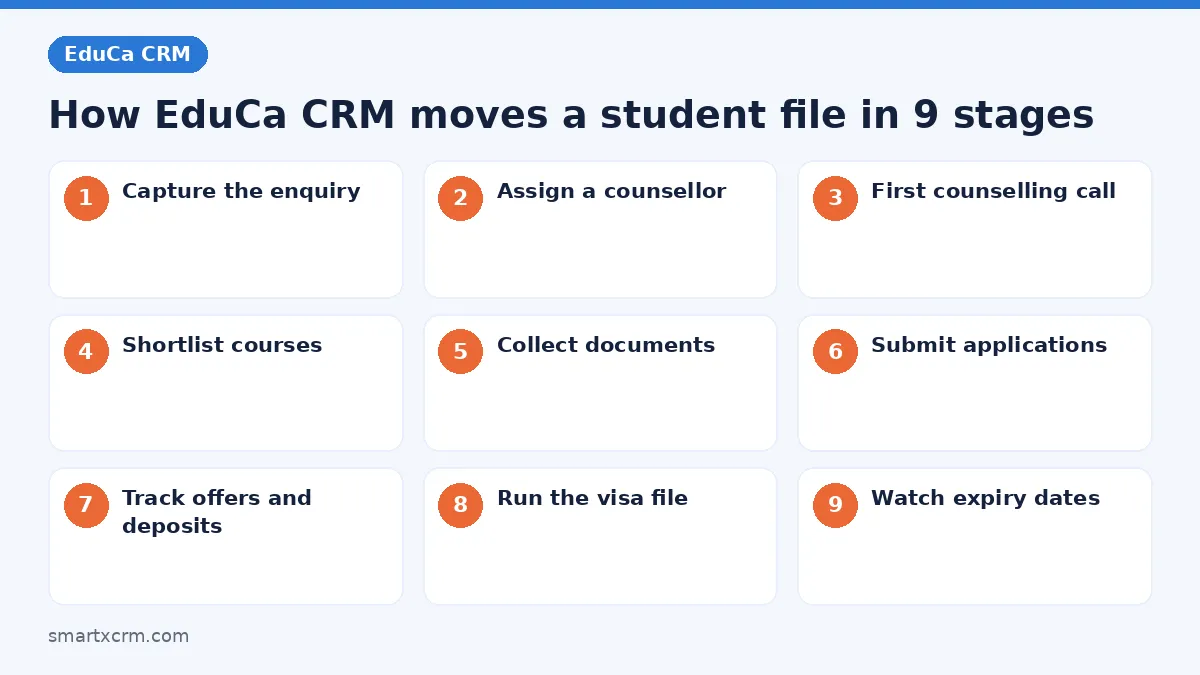
- Capture the enquiry. A form on your website or a lead ad creates the student record in Mizo (Lead Management). Walk-ins are added by the front desk.
- Assign a counsellor. The Automation Engine assigns the lead by your rules, for example by city or destination country.
- First counselling call. The counsellor logs notes, budget and test scores. A follow-up task is created in the Task and Follow-Up Center.
- Shortlist courses. The built-in Course Finder filters options by country, university and intake.
- Collect documents. The Document Upload and Checklist System lists what is pending and sends reminders for missing files.
- Submit applications. Each university application gets its own status in the Application Manager, so one offer does not hide another rejection.
- Track offers and deposits. Status updates show on the student record for the team.
- Run the visa file. The Visa Processing Hub follows the case with customisable pipelines per visa type and country.
- Watch expiry dates. Expiry and Compliance Alerts warn before passports, IELTS or PTE scores, bank statements, police clearance certificates or offer letters lapse.
Updates can go to students through WhatsApp, email or SMS, as listed on the EduCa visa tracking page. WhatsApp campaigns use the WA Daddy add-on.
Which visa steps should the CRM track for the UK and Canada?
The CRM should track every official step as a separate stage with its own date. Rules change, so take them from government sites, not from memory. These are the points we checked on 26 November 2026.
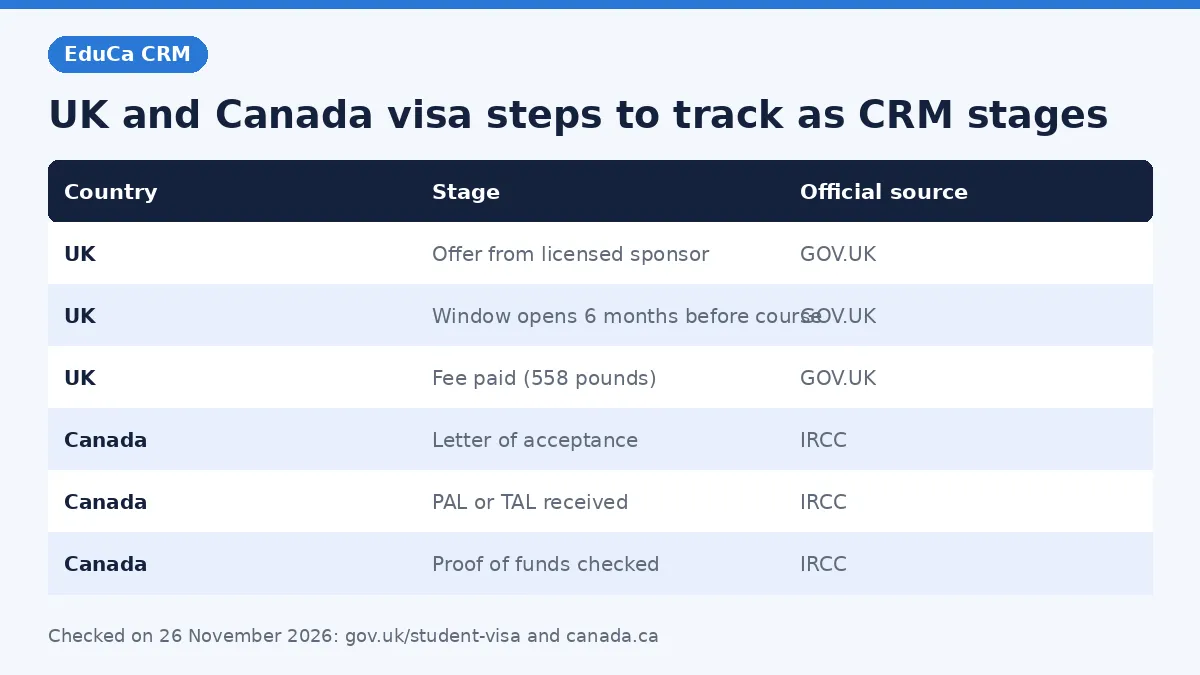
| Country | Official requirement | Stage to create in the CRM |
|---|---|---|
| UK | Offer of a place from a licensed student sponsor | Unconditional offer received |
| UK | Earliest application is 6 months before the course starts | Visa window opens (date field) |
| UK | Fee of 558 pounds from outside the UK | Visa fee paid |
| UK | Decision usually within 3 weeks from outside the UK | Decision due (reminder) |
| Canada | Letter of acceptance from the school | LOA uploaded |
| Canada | Provincial or territorial attestation letter (PAL or TAL) in most cases | PAL or TAL received |
| Canada | Proof of financial support | Funds evidence checked |
Sources: GOV.UK Student visa and IRCC study permit documents. For immigration-heavy practices, our CRM for study abroad and immigration consultancy in India guide goes deeper.
How much does an education consultancy CRM cost in India?
EduCa CRM is sold as yearly plans in US dollars. On 26 November 2026 the SmartX CRM pricing page showed three plans with limited time offer prices.
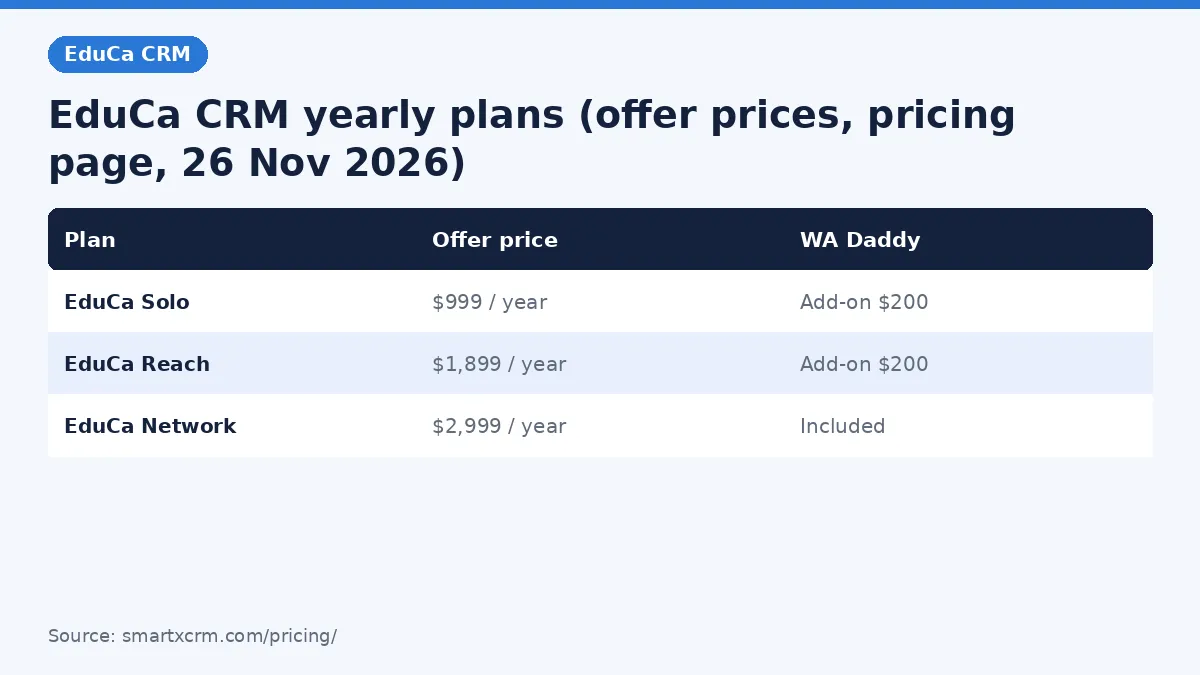
| EduCa plan | Offer price per year | List price per year | Who it is for (as stated) | WhatsApp (WA Daddy) |
|---|---|---|---|---|
| EduCa Solo | $999 | $1,299 | Independent consultants | Add-on, $200 a year |
| EduCa Reach | $1,899 | $2,299 | Head office with multiple branches | Add-on, $200 a year |
| EduCa Network | $2,999 | $3,499 | Partners, branches and B2B relationships | Included, plus white labelling |
The pricing page does not list user or branch limits per plan, so ask for them in your demo. Prices can change, so always confirm on the pricing page before you budget.
Is a specialist education consultancy CRM better than a generic CRM?
For most study abroad consultancies, yes, because the stages, documents and visa steps already exist. A generic CRM can work, but you must build those parts yourself.
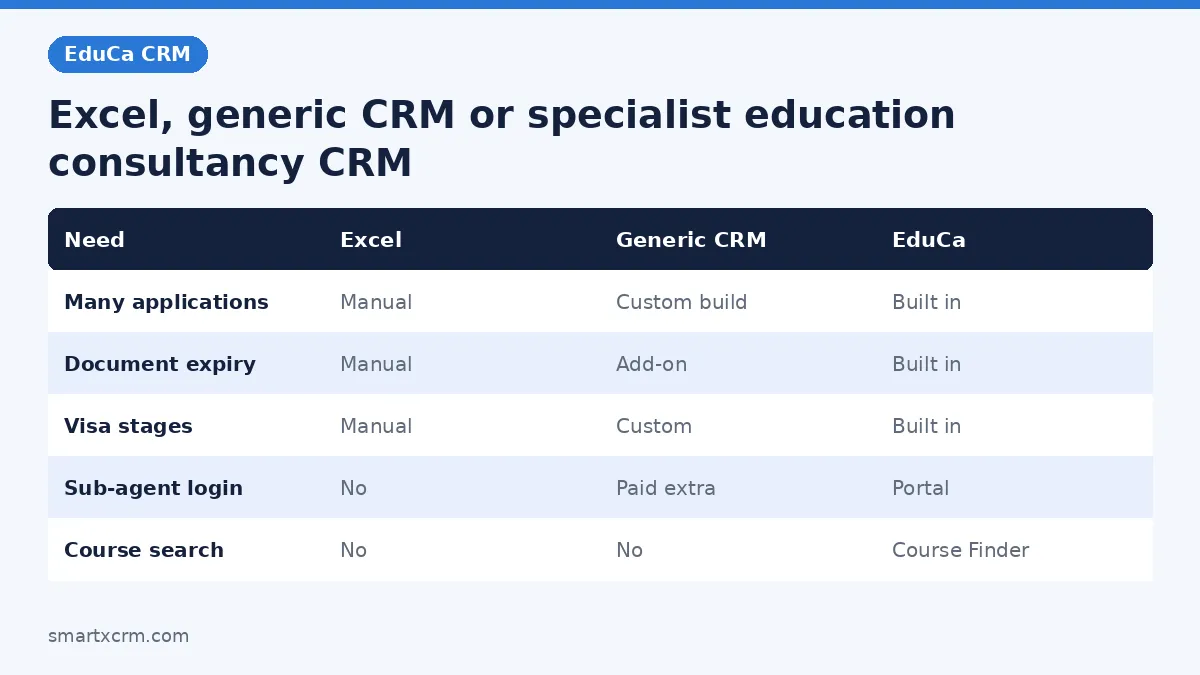
| Need | Excel and WhatsApp | Generic sales CRM | Specialist CRM such as EduCa |
|---|---|---|---|
| Many applications per student | Separate sheets, easy to lose | Needs custom objects | Built in (Application Manager) |
| Document checklist and expiry dates | Manual | Custom fields and add-ons | Built in (Document Vault, expiry alerts) |
| Visa stages per country | Manual | Custom pipeline | Customisable visa pipelines |
| Sub-agent logins | Not possible | Often a paid extra | Partner Portal |
| Course search | University websites one by one | Not included | Course Finder |
| Set-up effort | None, but no control | High | Lower, stages are pre-built |
Want named vendors side by side? See our best CRM for abroad education consultancy in India comparison.
What does a worked example look like for a 6-counsellor consultancy?
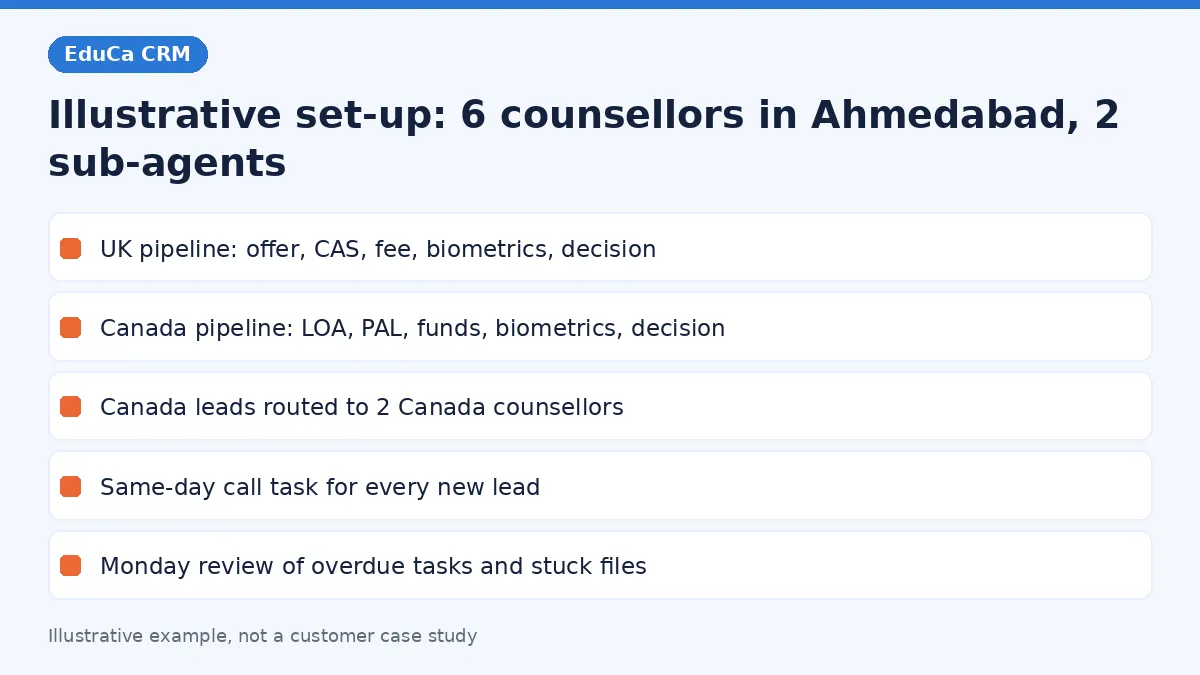
Here is an illustrative case, not a customer story. Picture a consultancy in Ahmedabad with 6 counsellors, one branch and two sub-agents in Rajkot and Vadodara. It sends students mainly to the UK and Canada.
- Plan choice: one office plus partners points to EduCa Network if the sub-agents need logins. Without partner logins, EduCa Solo or Reach may be enough.
- Stages: the owner sets a UK pipeline (offer, CAS, fee paid, biometrics, decision) and a Canada pipeline (LOA, PAL, funds, biometrics, decision).
- Rules: Canada leads go to the two counsellors who handle Canada. Each new lead gets a call task due the same day.
- Weekly review: the owner opens Reports every Monday and checks open tasks per counsellor and files stuck in one stage for more than 7 days.
Run the same exercise with your own numbers before your demo. It shows quickly which plan and stages you need.
How do you choose and roll out an education consultancy CRM?
Test it with your messiest real file, involve two counsellors, and plan a short parallel run. Use this checklist.
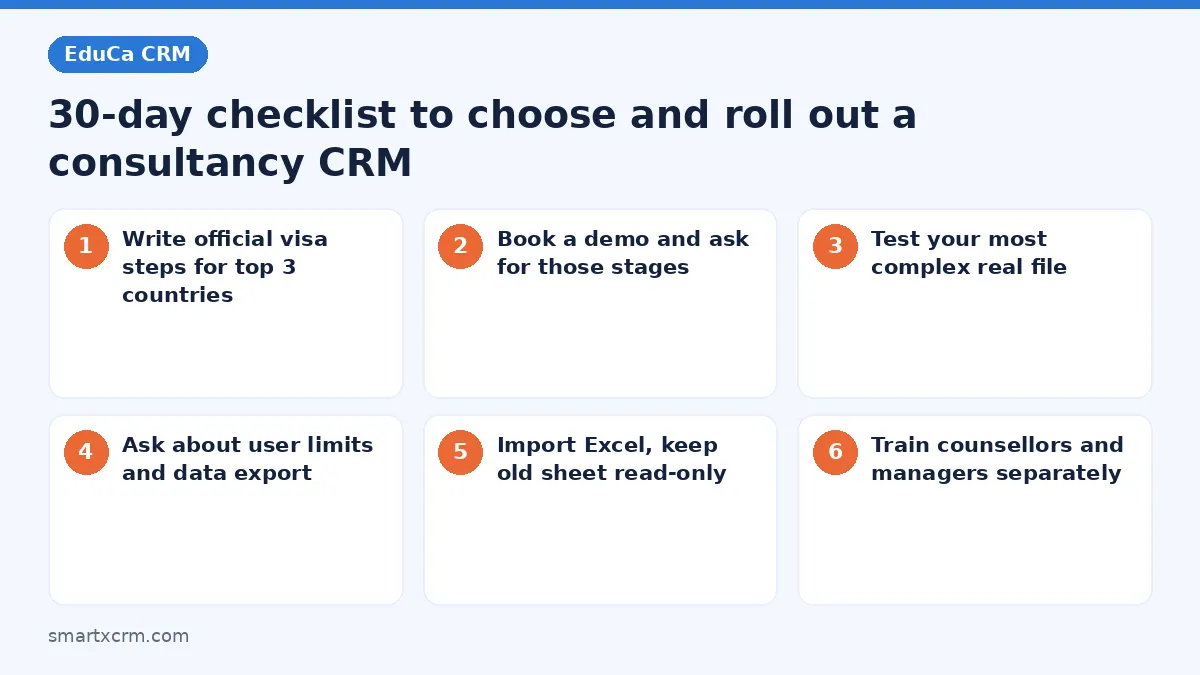
- List your top 3 destination countries and write down their official visa steps.
- Book a free EduCa CRM demo and ask to see those exact stages.
- Bring one complex student file to the demo: several universities, a resubmitted document and a parent who calls often.
- Ask about user limits, data export and who can see which records.
- Import your current Excel list and keep the old sheet read-only for 2 weeks.
- Train counsellors and managers in separate sessions.
- After 30 days, check which counsellors log in daily and where tasks are overdue.
For the full feature walk-through, read our study abroad and education consultant CRM hub and the CRM software for study abroad in India guide.
Frequently asked questions about education consultancy CRM in India
What is the best education consultancy CRM in India?
The best one fits your workflow: destinations, team size and whether you use sub-agents. EduCa CRM by SmartX CRM is built for study abroad consultants and covers leads, applications, documents, visa stages and partners in one system.
How much does EduCa CRM cost?
On 26 November 2026 the pricing page listed EduCa Solo at $999 a year, EduCa Reach at $1,899 a year and EduCa Network at $2,999 a year as offer prices. WA Daddy is a $200 yearly add-on for Solo and Reach.
Can EduCa CRM send WhatsApp updates to students?
Yes. The visa tracking page lists updates through WhatsApp, email, SMS and in-app notifications. WhatsApp campaigns run through the WA Daddy add-on, which is included in EduCa Network.
Does an education consultancy CRM help with visa deadlines?
Yes, if each official step is a stage with a date. EduCa adds Expiry and Compliance Alerts for passports, test scores, bank statements, police clearance certificates, offer letters and visa stamps.
Can sub-agents use the CRM?
Yes. EduCa’s Sub-Agent Network and Partner Portal gives partners role-based access, and the B2B sub-agent management page describes central control of workflows, course approvals and commissions.
How long does it take to start using a CRM?
Plan about 30 days: one week for import and set-up, one week for training, and two weeks of parallel running with your old sheet. Small teams with clean data can go faster.


Leave a comment: