Quick answer: To send bulk WhatsApp messages without ban, use Meta’s WhatsApp Business Platform (the Cloud API or a Meta Business Solution Provider), message only people who opted in, start every business-initiated chat with an approved template, honour opt-outs at once and grow volume slowly from the 250-user starting limit while your quality rating stays high.
By the SmartX CRM Product Team. Last updated 27 November 2026. Sources: Meta’s WhatsApp Business Messaging Policy and WhatsApp Business Platform developer documentation, both checked on this date.
Most bans come from the same few mistakes: messaging people who never asked to hear from you, sending too much too fast from a new number, and ignoring blocks. This guide explains which provider route is compliant, the current limits and prices, and a step-by-step routine an Indian business can follow to send bulk WhatsApp messages without ban risk.
Which provider supports bulk WhatsApp messaging with compliance?
The compliant provider for bulk WhatsApp messaging is Meta itself, through the WhatsApp Business Platform. You can use the Cloud API directly or sign up through a Meta Business Solution Provider (BSP), which adds a dashboard, template tools and support on top of the same platform.
What makes this route compliant is not the brand of the tool. It is the set of rules the platform enforces: a verified business profile, approved message templates for business-initiated chats, opt-in records, and messaging limits tied to quality. A provider that skips these rules cannot make your sends compliant.
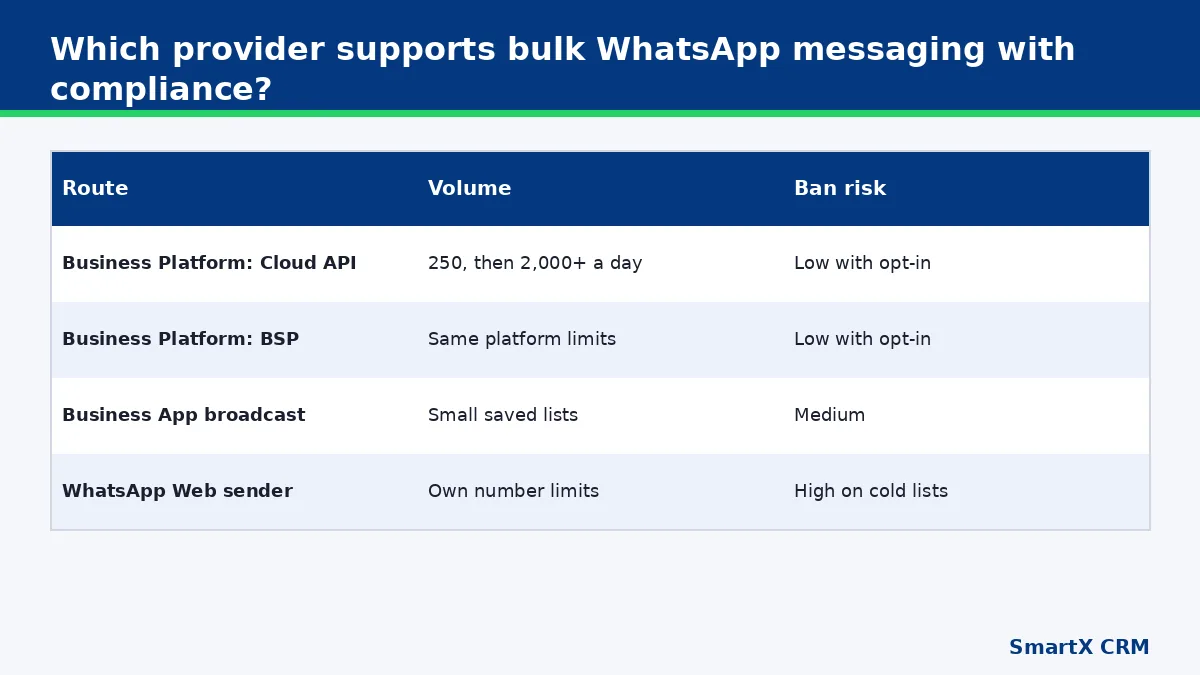
| Route | Who it suits | Bulk volume | Ban risk |
|---|---|---|---|
| WhatsApp Business Platform via Cloud API | Teams with a developer | 250 users a day at first, then 2,000 and higher | Low if opt-in and templates are followed |
| WhatsApp Business Platform via a BSP | Teams that want a ready dashboard | Same platform limits | Low if opt-in and templates are followed |
| WhatsApp Business App broadcast lists | Shops and solo consultants | Small lists of saved contacts | Medium if lists grow or contacts never opted in |
| Desktop or WhatsApp Web bulk sender | Small teams sending to known contacts | Limited by your own number’s standing | High if used for cold or purchased lists |
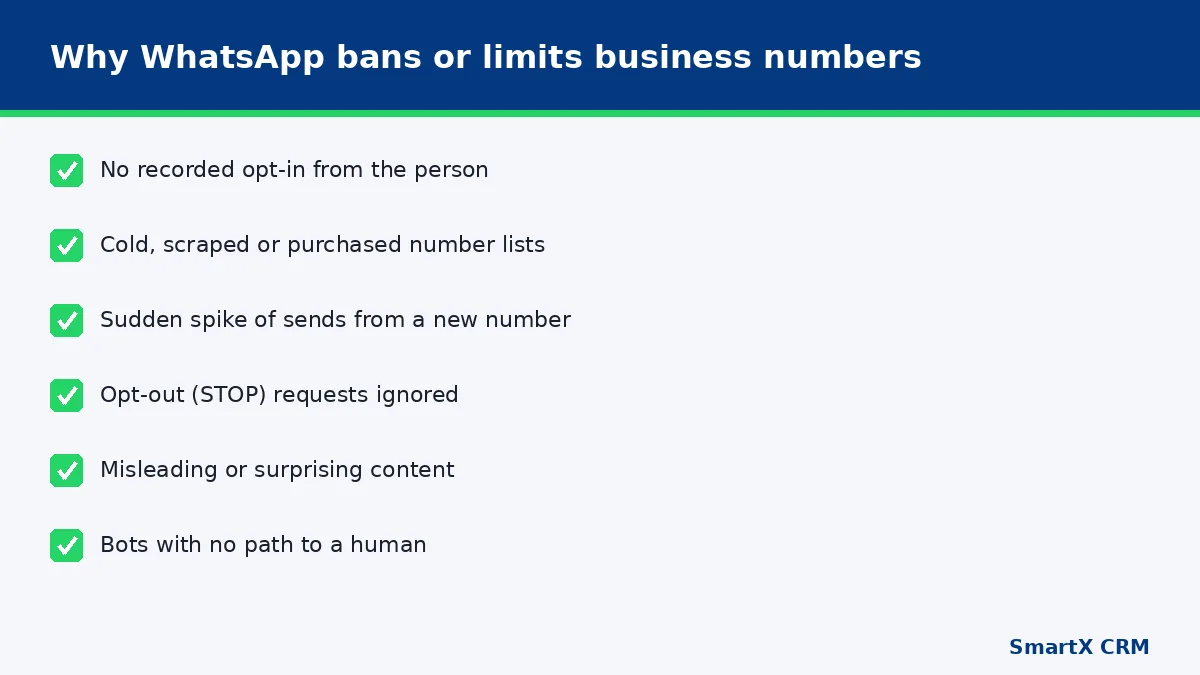
Why WhatsApp bans or limits business numbers
WhatsApp limits or removes access when a business gets significant negative feedback, breaks the policy or falls short of quality standards. In practice, that means people block you, report you as spam or ignore your messages.
- No opt-in. Meta’s policy says you may contact people only if they gave you their number and agreed to hear from you.
- Cold or bought lists. Numbers scraped from directories or bought from a vendor have no opt-in, so blocks arrive fast.
- Too many sends from a new number. A sudden spike from a number with no history looks like spam.
- Ignored opt-outs. The policy requires you to honour requests to stop, including removing the person from your contacts.
- Misleading content. Impersonating another business or surprising people with unrelated offers breaks the rules.
- Automation with no human path. If you use a bot, the policy asks for a clear way to reach a person by chat, phone, email or web.
Meta also notes that persistently low quality can limit how many messages you can send. So a ban is the last step; a falling limit usually comes first.
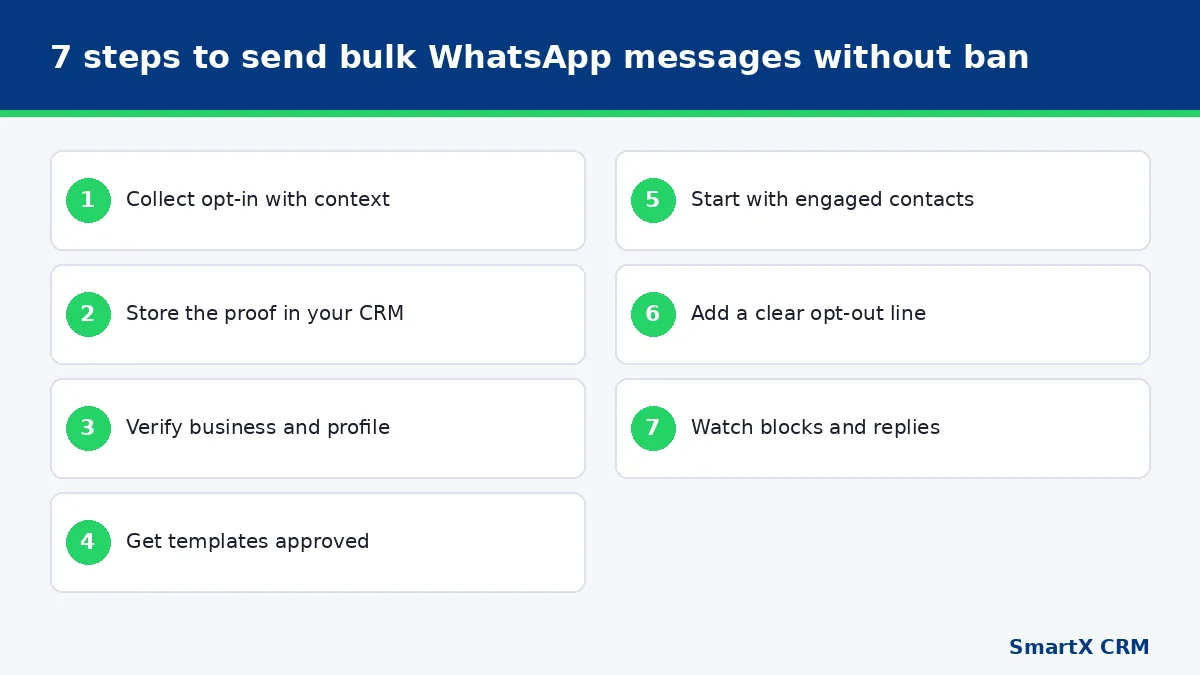
How to send bulk WhatsApp messages without ban: 7 steps
Follow these seven steps in order. Each one removes a common cause of blocks, and together they keep your quality rating high enough for your limit to grow.
- Collect opt-in with context. Add a WhatsApp consent checkbox to your enquiry form, website chat or counter sign-up sheet, and say what you will send (for example, fee reminders and course updates).
- Store the proof. Save the date, source and wording of each opt-in in your CRM so you can show it later.
- Verify your business and profile. Keep the business name, address and support contact accurate on your WhatsApp profile.
- Get templates approved. Write short templates in the right category (marketing, utility or authentication) and wait for approval before any business-initiated send.
- Start small. Send the first campaign to your most engaged contacts, then widen the list as reads and replies stay healthy.
- Give a clear way out. Add a line such as “Reply STOP to opt out” and remove those numbers the same day.
- Watch blocks and replies. If blocks rise after a campaign, pause, review the template and the list, and fix the cause before the next send.
WhatsApp messaging limits in 2026: 250, 2,000 and automatic scaling
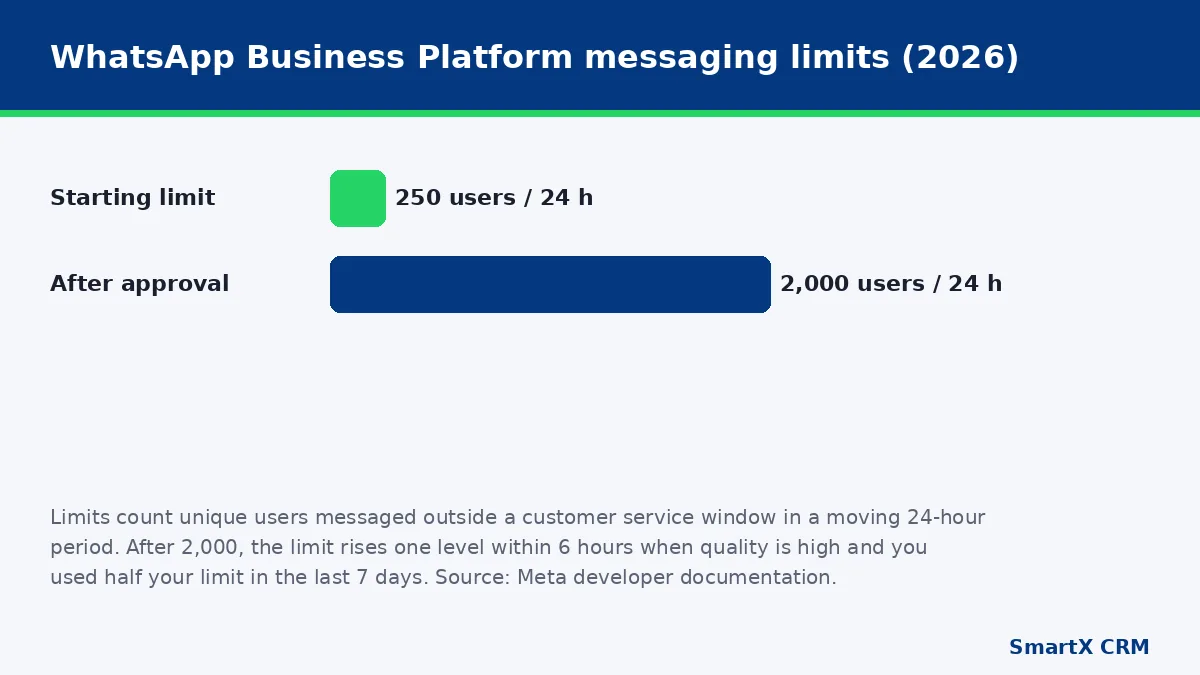
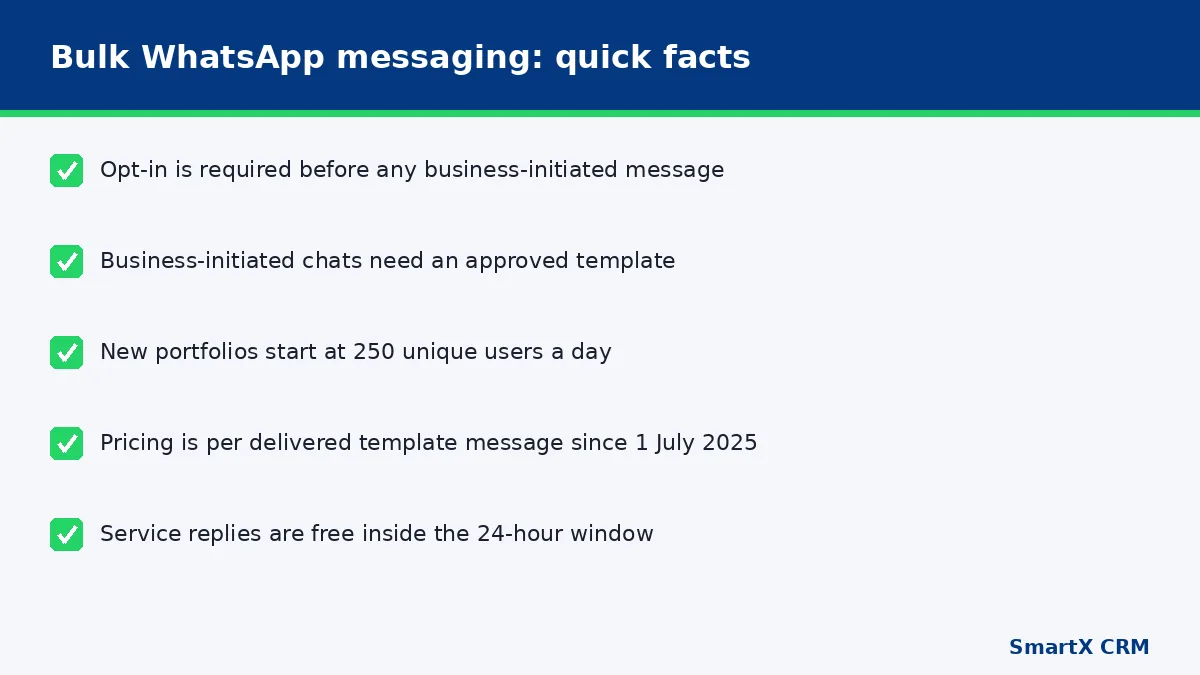
A new business portfolio can message 250 unique WhatsApp users outside a customer service window in any moving 24-hour period. The limit is shared by all phone numbers in that portfolio, so adding numbers does not multiply it.
To reach 2,000, you complete one of Meta’s scaling paths and Meta reviews your message quality. If Meta defers or denies the request, one alternative path is to deliver 2,000 messages outside service windows to unique numbers within 30 days using high-quality templates. After 2,000, the limit moves up one level within six hours when your messages stay high quality and you used at least half of your current limit in the last seven days. Details are on Meta’s messaging limits documentation.
How much does bulk WhatsApp messaging cost?
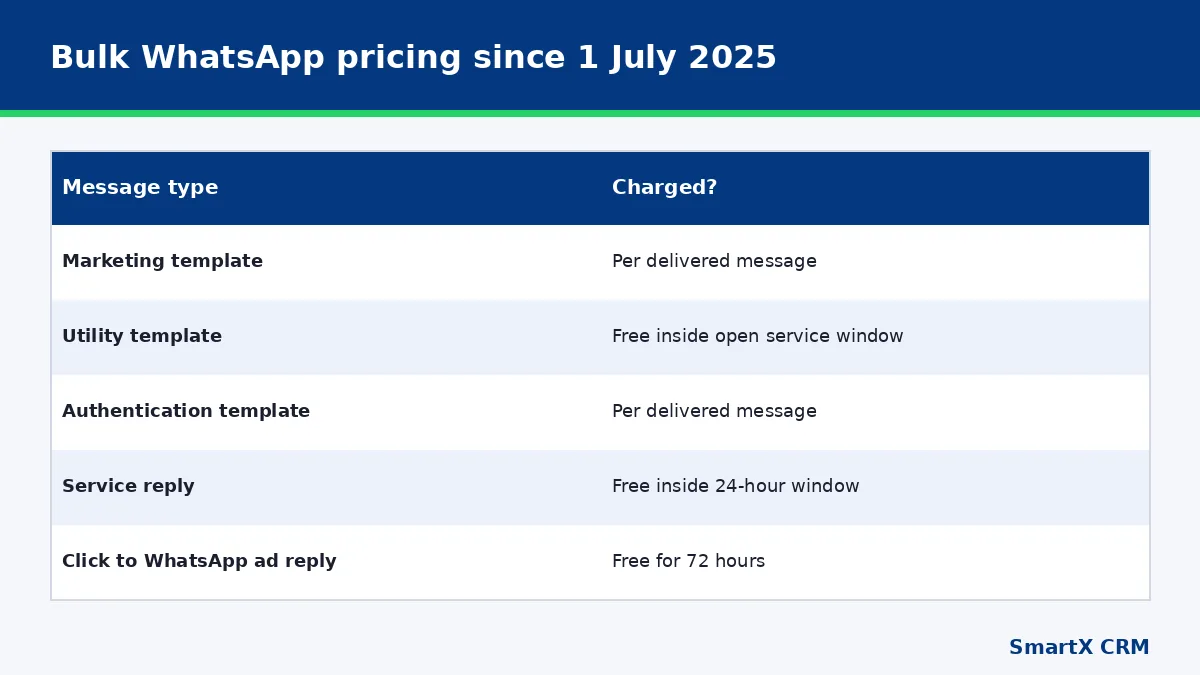
Since 1 July 2025, Meta charges per delivered template message instead of per conversation. The price depends on the template category and the recipient’s country, and a BSP may add its own platform fee on top.
| Message type | Charged? | Notes |
|---|---|---|
| Marketing template | Yes, per delivered message | Offers, announcements, re-engagement |
| Utility template | Yes, but free inside an open customer service window | Order, fee or appointment updates |
| Authentication template | Yes, per delivered message | One-time passwords and login codes |
| Service reply (non-template) | Free inside the customer service window | Replies within 24 hours of the user’s last message |
| Messages after a Click to WhatsApp ad | Free for 72 hours if you reply within 24 hours | Includes templates during that window |
Because marketing templates cost the most and draw the most blocks, many teams send utility updates (fees due, documents received, appointment confirmed) to the full list and keep marketing sends for people who replied recently.
Worked example: fee reminders for a coaching institute in Pune
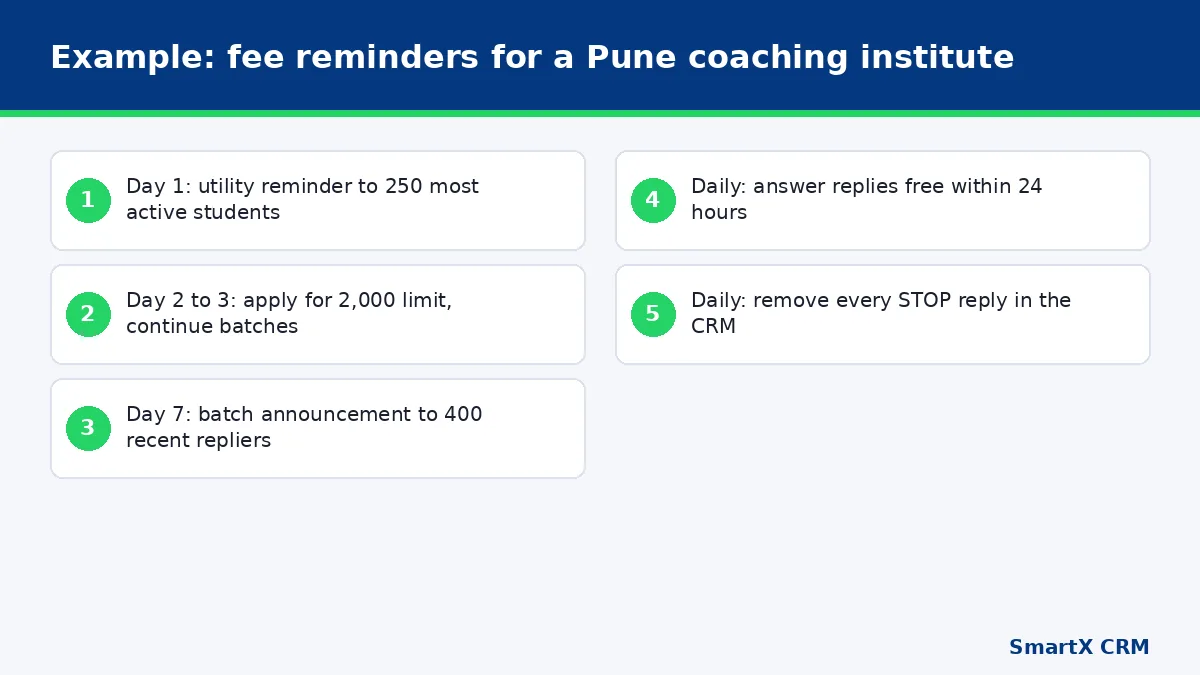
Here is an illustrative case. A Pune IELTS coaching institute has 1,800 current and past students who opted in on the admission form. It wants to send a fee reminder to 600 current students and a new batch announcement to past students.
- Day 1: it sends the utility fee reminder to the 250 students with the most recent replies, within the starting limit.
- Day 2 to 3: after steady reads and no rise in blocks, it applies for the 2,000 limit and continues the reminder in batches of 250.
- Day 7: with the higher limit, it sends the batch announcement (a marketing template) only to past students who replied in the last 90 days, about 400 people.
- Every day: replies inside 24 hours are handled as free service messages by two counsellors, and every STOP reply is removed from the list in the CRM.
The institute never sends to the full 1,800 at once, never mixes cold numbers into the list, and keeps marketing volume small. That pattern keeps quality high, which is what lets the limit grow.
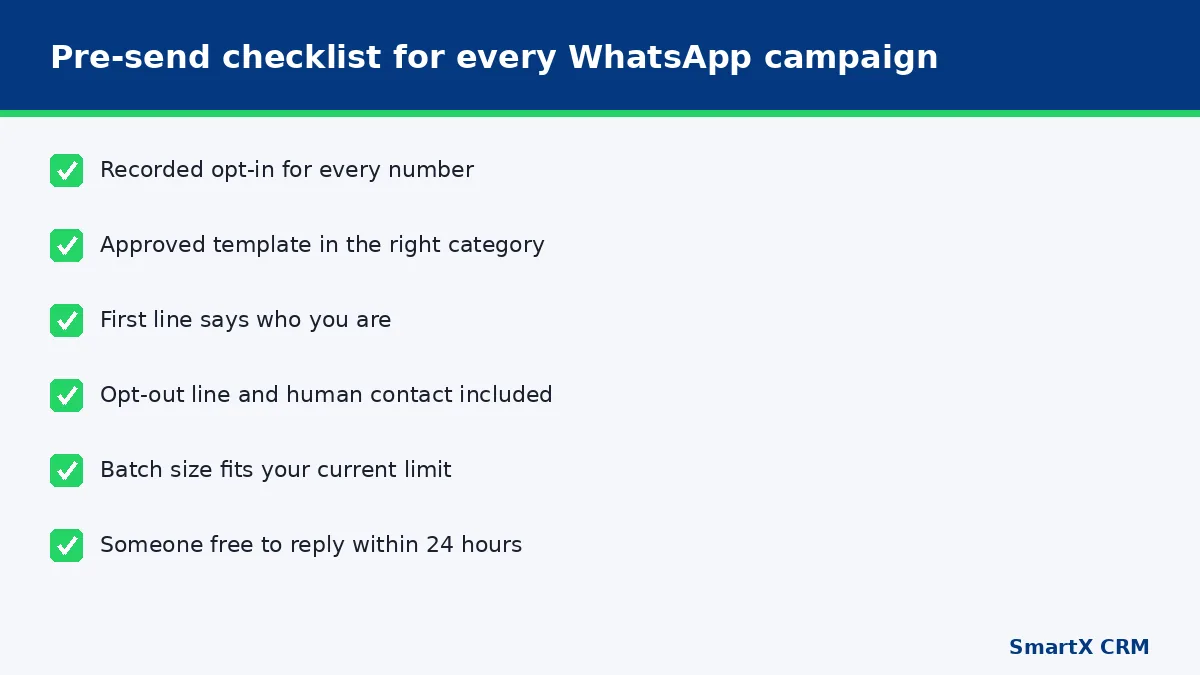
Pre-send checklist for bulk WhatsApp messages without ban
Run this checklist before every campaign. It takes five minutes and catches most problems that lead to blocks.
- Every number on the list has a recorded opt-in and has not replied STOP.
- The template is approved and its category matches the content.
- The first line says who you are and why the person is getting the message.
- The message includes an opt-out line and a way to reach a person.
- The batch size fits your current messaging limit.
- Someone is free to answer replies within the next 24 hours.
Where WA Daddy and SmartX CRM fit
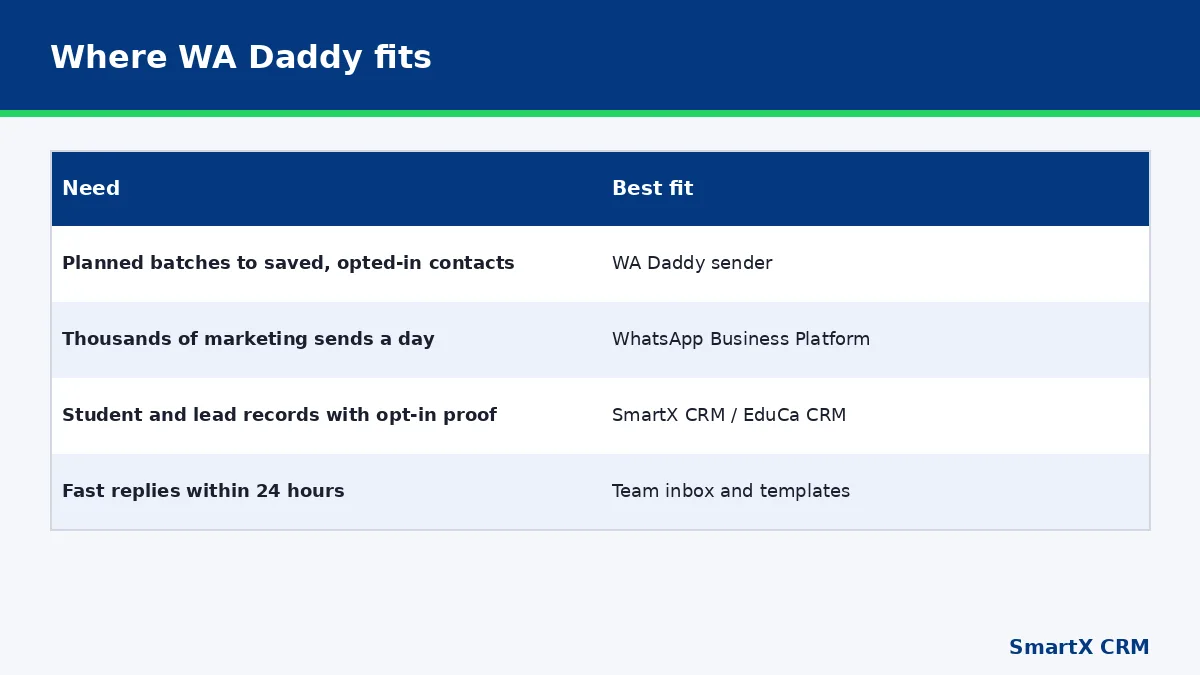
WA Daddy (bulk WhatsApp messaging software) is the bulk WhatsApp sender from SmartX CRM. It imports contact lists from CSV or Excel, filters out numbers that are not on WhatsApp, personalises messages with merge tags, schedules campaigns and sends images, videos and PDFs. It suits small teams that message saved, opted-in contacts in planned batches.
Be clear about its limits: a sender that runs on your own WhatsApp number still lives under WhatsApp’s normal rules, so it does not make cold outreach safe. For high-volume marketing to thousands of people a day, use the WhatsApp Business Platform. Education consultancies can add WA Daddy to an EduCa plan for $200 a year, as listed on the SmartX CRM pricing page.
For background on automation flows, read the WhatsApp automation guide, compare tools in the bulk WhatsApp marketing platform article, and see how study abroad teams use it in WhatsApp automation for education consultants.
FAQ: sending bulk WhatsApp messages without ban
Which provider supports bulk WhatsApp messaging with compliance?
Meta’s WhatsApp Business Platform is the compliant route. You can connect through the Cloud API yourself or through a Meta Business Solution Provider, and every business-initiated message must use an approved template sent to people who opted in.
Can I send bulk WhatsApp messages without ban using the WhatsApp Business App?
Only in small numbers. The app suits manual replies and broadcast lists to saved contacts who know you. Large unsolicited sends from the app lead to reports, blocks and restrictions.
How many people can I message per day on the WhatsApp Business Platform?
A new business portfolio can message 250 unique users outside a customer service window in a moving 24-hour period. After Meta approves it, the limit becomes 2,000, and it can rise further when message quality stays high.
Do I need opt-in before sending WhatsApp marketing messages?
Yes. Meta’s Business Messaging Policy says you may contact people only if they gave you their number and agreed to receive messages from you. Keep a record of when and where each person opted in.
How is bulk WhatsApp messaging charged in 2026?
Meta charges per delivered template message, a model that started on 1 July 2025. The rate depends on the template category (marketing, utility or authentication) and the recipient’s country. Replies inside an open customer service window are free.
Is a WhatsApp Web bulk sender safe for my number?
It depends on how you use it. A desktop or browser sender still sends from your own WhatsApp number, so WhatsApp’s normal limits and spam signals apply. Send only to saved, opted-in contacts, in small batches, and move large campaigns to the Business Platform.
Want to plan a compliant campaign for your team? Book a free SmartX CRM demo and we will walk through opt-in capture, batches and reply handling with your own contact list.


Leave a comment: