The healthcare industry has witnessed a remarkable transformation in patient relationship management, with the U.S. healthcare CRM market projected to reach around USD 19.94 million by 2034, expanding at a CAGR of 7.23%. As healthcare providers increasingly recognize the importance of robust patient relationship management systems, a critical question emerges: should you invest in a CRM for hospitals or a CRM for clinics?
Choosing the right healthcare CRM by size isn’t just about patient management—it’s about optimizing your entire healthcare operation, from appointment scheduling to patient retention. Whether you’re managing a large hospital network with thousands of patients or running a small clinic with a focused patient base, understanding the distinct CRM needs of different healthcare organizations is crucial for making an informed decision.
In this comprehensive guide, we’ll explore the fundamental differences between hospital CRM systems and clinic CRM solutions, examine cost structures, analyze real-world case examples, and help you determine which healthcare CRM platform best suits your organization’s unique requirements.
Understanding Healthcare CRM: The Foundation of Modern Patient Management
Before diving into the specifics of CRM for hospitals versus CRM for clinics, let’s establish what healthcare CRM actually encompasses. While EMRs store and manage clinical data such as patient medical charts, CRMs handle business operations, such as patient outreach, appointment scheduling, and service coordination.
A healthcare CRM system serves as the central nervous system of your patient relationship strategy, integrating various touchpoints to create a seamless experience for both patients and healthcare providers. These systems go beyond traditional customer relationship management by incorporating HIPAA compliance, medical billing integration, and specialized healthcare workflows.
Key Components of Healthcare CRM Systems
Patient Data Management: Centralizing patient information, medical histories, and communication preferences in a secure, HIPAA-compliant environment.
Appointment Management: Automated scheduling, rescheduling, and reminder systems that reduce no-shows and optimize provider availability.
Communication Automation: Multi-channel patient communication including email campaigns, SMS reminders, and automated follow-ups.
Analytics and Reporting: Comprehensive dashboards providing insights into patient satisfaction, retention rates, and operational efficiency.
Integration Capabilities: Seamless connectivity with Electronic Health Records (EHR), billing systems, and other healthcare technologies.
The Unique CRM Needs of Large Hospitals
Large hospitals face complex operational challenges that require sophisticated CRM for hospitals solutions. With thousands of patients, multiple departments, diverse specialties, and complex administrative hierarchies, hospital CRM systems must be robust, scalable, and feature-rich.
Complex Patient Volume Management
Large hospitals typically manage 10,000 to 50,000+ patient records simultaneously, requiring advanced database architecture and powerful processing capabilities. A healthcare CRM by size designed for hospitals must handle:
- Multi-departmental patient journeys: Patients often interact with multiple departments during their hospital experience, from emergency care to specialized treatments
- Provider coordination: Complex referral systems between internal departments and external specialists
- Insurance and billing complexity: Managing various insurance providers, complex billing cycles, and financial assistance programs
Advanced Integration Requirements
Hospital CRM systems require extensive integration capabilities with existing healthcare infrastructure:
Electronic Health Records (EHR) Integration: Seamless bidirectional data flow between CRM and EHR systems to maintain accurate patient records across all touchpoints.
Hospital Information Systems (HIS): Integration with laboratory systems, radiology equipment, pharmacy management, and other specialized hospital technologies.
Financial Management Systems: Complex billing integrations supporting multiple insurance types, Medicare/Medicaid processing, and financial assistance program management.
Telehealth Platforms: Post-pandemic, hospitals require CRM integration with telehealth solutions to manage virtual appointments and remote patient monitoring.
Multi-Location and Department Management
Large hospitals often operate multiple locations, satellite clinics, and specialized centers. CRM for hospitals must provide:
- Centralized patient data access across all locations
- Department-specific workflows while maintaining unified patient records
- Resource allocation management across multiple facilities
- Compliance tracking for different regulatory requirements by location
Scalability and Performance Requirements
Hospital CRM systems must handle:
- High concurrent user counts: Supporting hundreds of simultaneous users across different departments
- 24/7 availability: Critical system uptime requirements for emergency and round-the-clock patient care
- Data security at scale: Advanced security protocols protecting thousands of patient records
- Performance optimization: Fast query responses even with massive databases
Case Example: Large Metropolitan Hospital Network
Consider Metropolitan Health System, a 500-bed hospital network with three main facilities and twelve specialty clinics. Their CRM for hospitals implementation included:
Challenge: Managing 45,000 active patient records across multiple specialties, coordinating care between facilities, and maintaining consistent communication standards.
Solution: Implemented Salesforce Health Cloud with custom configurations for each department, integrated with Epic EHR system, and deployed automated patient journey mapping.
Results:
- 35% reduction in patient wait times through optimized scheduling
- 28% improvement in patient satisfaction scores
- 42% increase in follow-up appointment compliance
- $1.2 million annual savings through reduced administrative overhead
Investment: $450,000 initial implementation cost, $85,000 annual maintenance and licensing fees
The Specific CRM Needs of Small and Medium Clinics
Small and medium clinics operate with fundamentally different requirements compared to large hospitals. CRM for clinics solutions must be cost-effective, easy to implement, and focused on essential functionality rather than complex enterprise features.
Streamlined Patient Management
Clinics typically manage 500 to 5,000 patient records, allowing for more personalized patient relationships and simplified workflows. Key requirements include:
Personal Touch Maintenance: Clinic CRM systems should enhance, not replace, the personal relationships that are often the cornerstone of smaller practices.
Simplified Scheduling: Easy-to-use appointment booking systems that don’t require extensive training for staff members.
Basic Reporting: Essential analytics without overwhelming complexity, focusing on key metrics like appointment volumes, patient retention, and revenue trends.
Cost-Effectiveness and ROI Focus
For clinics operating on tighter margins, healthcare CRM by size considerations include:
Lower Initial Investment: Clinic CRM solutions typically range from $50-500 per user per month, compared to enterprise hospital systems that can cost $1,000+ per user monthly.
Faster ROI Timeline: Clinics need to see measurable returns within 6-12 months rather than the 18-24 month ROI timelines acceptable for hospital systems.
Minimal IT Infrastructure: Cloud-based solutions that don’t require dedicated IT staff or extensive server infrastructure.
Essential Feature Set
CRM for clinics should focus on core functionality:
Patient Communication: Automated appointment reminders, follow-up communications, and basic marketing campaign capabilities.
Appointment Management: Simple scheduling interface with basic calendar management and conflict resolution.
Basic Analytics: Patient visit trends, no-show rates, and revenue tracking without complex business intelligence features.
HIPAA Compliance: Essential security features without enterprise-level security complexity.
Ease of Implementation and Use
Clinic staff often wear multiple hats, requiring CRM systems that are:
- Intuitive to learn: Minimal training requirements for busy clinical staff
- Quick to implement: Go-live timelines of 2-8 weeks rather than 6-12 months for hospital systems
- Reliable support: Responsive customer service without requiring dedicated IT liaison roles
Case Example: Multi-Specialty Clinic Group
Family Care Associates, a 15-provider multi-specialty clinic with three locations and 3,500 active patients, implemented a CRM for clinics solution:
Challenge: Improving patient retention, reducing no-show rates, and streamlining communication across three different clinic locations.
Solution: Deployed HubSpot for Healthcare with basic automation workflows, integrated with their existing Practice Management System.
Results:
- 22% reduction in no-show rates through automated reminder systems
- 18% increase in annual wellness visit compliance
- 15% improvement in patient satisfaction scores
- $75,000 additional annual revenue through improved appointment utilization
Investment: $12,000 initial setup cost, $3,600 annual subscription fees
Comprehensive Cost Analysis: Hospitals vs Clinics
Understanding the financial implications of CRM for hospitals versus CRM for clinics is crucial for making an informed decision. The cost structures vary significantly based on organization size, feature requirements, and implementation complexity.
Hospital CRM Cost Structure
Initial Implementation Costs:
- Enterprise licensing: $100,000 – $500,000 for initial licenses
- Customization and configuration: $150,000 – $800,000 for complex integrations
- Training and change management: $50,000 – $200,000 for organization-wide adoption
- Data migration: $25,000 – $150,000 for existing patient data transfer
- Total initial investment: $325,000 – $1,650,000
Ongoing Annual Costs:
- Software licensing: $200,000 – $800,000 annually
- Maintenance and support: $50,000 – $250,000 annually
- System updates and enhancements: $25,000 – $100,000 annually
- Additional user licensing: $1,200 – $3,600 per user per year
- Total annual costs: $275,000 – $1,150,000
Clinic CRM Cost Structure
Initial Implementation Costs:
- Software licensing: $2,000 – $25,000 for initial setup
- Basic configuration: $5,000 – $40,000 for standard implementations
- Training: $2,000 – $15,000 for staff education
- Data migration: $1,000 – $10,000 for existing patient records
- Total initial investment: $10,000 – $90,000
Ongoing Annual Costs:
- Software subscriptions: $6,000 – $60,000 annually
- Support and maintenance: $1,500 – $15,000 annually
- Additional features: $1,000 – $10,000 annually
- Per-user fees: $300 – $1,200 per user per year
- Total annual costs: $8,500 – $85,000
Cost-Benefit Analysis Framework
When evaluating healthcare CRM by size, consider these key financial metrics:
Return on Investment (ROI) Calculations:
For hospitals:
- Patient retention improvement: 5-15% increase can generate $500,000 – $2,000,000 additional annual revenue
- Operational efficiency: 10-25% reduction in administrative costs
- No-show reduction: 15-30% improvement can increase revenue by $200,000 – $800,000 annually
For clinics:
- Patient retention improvement: 10-20% increase can generate $50,000 – $300,000 additional annual revenue
- Administrative time savings: 20-40% reduction in administrative tasks
- No-show reduction: 20-35% improvement can increase revenue by $25,000 – $150,000 annually
Hidden Costs to Consider
Hospital Systems:
- IT infrastructure upgrades: $50,000 – $200,000
- Compliance auditing: $15,000 – $75,000 annually
- Change management consultancy: $25,000 – $150,000
- Custom reporting development: $20,000 – $100,000
Clinic Systems:
- Staff overtime during implementation: $2,000 – $10,000
- Temporary productivity loss: $5,000 – $25,000
- Additional training as staff turnover occurs: $1,500 – $7,500 annually
- Integration with existing systems: $3,000 – $20,000
Feature Comparison: What Each Size Organization Really Needs
The feature requirements for CRM for hospitals versus CRM for clinics differ significantly based on operational complexity, patient volume, and organizational structure.
Essential Hospital CRM Features
Advanced Patient Segmentation: Large hospitals require sophisticated patient categorization based on:
- Medical conditions and specialty requirements
- Insurance types and authorization levels
- Geographic locations and preferred facilities
- Risk stratification for care management programs
Complex Workflow Automation:
- Multi-department routing: Automatic patient pathway creation based on diagnosis and treatment requirements
- Provider scheduling optimization: AI-driven scheduling considering provider specialties, availability, and patient preferences
- Insurance authorization tracking: Automated pre-authorization processes and approval status monitoring
- Care team coordination: Communication workflows between primary care, specialists, and ancillary services
Enterprise-Level Reporting:
- Population health analytics: Insights into community health trends and preventive care opportunities
- Financial performance dashboards: Revenue cycle management, payor mix analysis, and profitability by service line
- Quality metrics tracking: Patient safety indicators, readmission rates, and clinical outcome measurements
- Compliance reporting: Automated generation of regulatory reports for various healthcare authorities
Advanced Integration Capabilities:
- HL7 FHIR compliance: Seamless data exchange with multiple EHR systems and healthcare applications
- API management: Custom integrations with laboratory systems, imaging platforms, and specialized medical equipment
- Third-party vendor connectivity: Integration with pharmaceutical companies, medical device manufacturers, and research platforms
Essential Clinic CRM Features
Streamlined Patient Communication:
- Automated appointment reminders: SMS, email, and voice reminder systems with customizable timing
- Health education campaigns: Basic marketing automation for preventive care reminders and health tips
- Survey and feedback collection: Simple patient satisfaction tracking and online reputation management
- Telehealth integration: Basic video consultation capabilities and remote appointment scheduling
Simplified Scheduling and Management:
- Easy appointment booking: User-friendly interface for front desk staff with minimal training requirements
- Provider calendar management: Simple availability tracking and appointment conflict resolution
- Waitlist management: Basic patient queue management for cancellations and last-minute availability
- Resource scheduling: Equipment and room reservation systems for procedures and consultations
Basic Analytics and Reporting:
- Patient visit trends: Simple dashboard showing appointment volumes, seasonal patterns, and growth metrics
- Financial summaries: Basic revenue tracking, insurance reimbursement reports, and accounts receivable aging
- No-show analysis: Identification of patterns and at-risk patients for targeted intervention
- Staff productivity metrics: Basic efficiency measurements and patient-per-provider ratios
Cost-Effective Integrations:
- Practice management system connectivity: Basic two-way synchronization with existing PM systems
- Billing software integration: Simple charge capture and payment processing connections
- Electronic health record compatibility: Basic patient demographic and appointment data sharing
- Online patient portal: Simple patient access for appointment scheduling and basic health information
Feature Comparison Matrix
Feature CategoryHospital CRMClinic CRMUser Capacity500-5,000+ concurrent users5-100 concurrent usersPatient Records10,000-100,000+ active records500-10,000 active recordsIntegration Complexity15-50+ system integrations3-10 system integrationsCustomization LevelExtensive custom workflowsBasic configuration optionsReporting DepthAdvanced analytics with BI toolsStandard reports with basic customizationCompliance FeaturesEnterprise-grade security and auditingEssential HIPAA complianceImplementation Time6-18 months2-12 weeksTraining RequirementsComprehensive, role-based trainingBasic user training
Real-World Case Studies: Success Stories by Organization Size
Understanding how different healthcare organizations have successfully implemented CRM solutions provides valuable insights into the practical considerations of choosing between CRM for hospitals and CRM for clinics.
Case Study 1: Regional Medical Center (Large Hospital)
Organization Profile: Regional Medical Center is a 400-bed tertiary care facility serving a population of 500,000 across a three-county area. The hospital includes emergency services, surgical suites, intensive care units, and twelve specialty departments.
Pre-CRM Challenges:
- Fragmented patient communication across departments
- 23% no-show rate for specialty appointments
- Inefficient referral management between departments
- Limited visibility into patient journey analytics
- Manual processes consuming 40+ hours weekly of administrative time
CRM Implementation: Solution: Salesforce Health Cloud with custom configurations Implementation Timeline: 14 months Total Investment: $675,000 initial cost, $125,000 annual maintenance
Key Customizations:
- Integration with Epic EHR system for bidirectional data flow
- Custom referral management workflows for 12 specialty departments
- Automated patient pathway mapping based on diagnosis codes
- Advanced analytics dashboard for executive leadership
- Mobile application for providers and care coordinators
Results After 24 Months:
- Patient Satisfaction: Increased from 3.2/5 to 4.1/5 (28% improvement)
- No-Show Reduction: Decreased from 23% to 14% (39% improvement)
- Administrative Efficiency: Reduced manual tasks by 65 hours weekly
- Revenue Impact: $1.8 million additional annual revenue through improved scheduling optimization
- Referral Management: 45% faster processing time for internal referrals
- Patient Retention: 22% increase in follow-up appointment compliance
Key Success Factors:
- Executive sponsorship: Strong leadership commitment throughout implementation
- Phased rollout: Gradual deployment by department to manage change effectively
- Comprehensive training: 120+ hours of role-specific training for each user group
- Continuous optimization: Quarterly system reviews and workflow improvements
Case Study 2: Suburban Family Practice Network (Medium Clinic Group)
Organization Profile: Suburban Family Practice Network operates four clinic locations with 18 providers serving approximately 8,500 active patients. Services include primary care, pediatrics, women’s health, and basic urgent care.
Pre-CRM Challenges:
- Inconsistent patient communication across four locations
- 18% no-show rate impacting scheduling efficiency
- Manual appointment reminder processes consuming staff time
- Limited patient retention tracking and analytics
- Difficulty coordinating care across multiple clinic sites
CRM Implementation: Solution: HubSpot for Healthcare with integrated scheduling Implementation Timeline: 8 weeks Total Investment: $18,500 initial cost, $7,200 annual subscription
Key Features Implemented:
- Automated appointment reminder sequences via SMS and email
- Basic patient segmentation for targeted health campaigns
- Centralized patient database accessible from all locations
- Simple analytics dashboard tracking key performance metrics
- Integration with existing practice management system
Results After 18 Months:
- No-Show Reduction: Decreased from 18% to 11% (39% improvement)
- Patient Communication: 95% of patients now receive automated reminders
- Administrative Time Savings: 25 hours weekly reduction in manual reminder calls
- Revenue Increase: $156,000 additional annual revenue through improved appointment utilization
- Patient Retention: 16% increase in annual wellness visit compliance
- Cross-Location Efficiency: 30% faster patient lookup and scheduling across sites
Key Success Factors:
- Simple implementation: Focus on essential features rather than complex customizations
- Staff buy-in: Early involvement of front desk and nursing staff in system selection
- Quick wins: Immediate implementation of automated reminders showing fast ROI
- Ongoing support: Regular check-ins with vendor support team for optimization
Case Study 3: Solo Family Medicine Practice (Small Clinic)
Organization Profile: Dr. Sarah Martinez operates a solo family medicine practice serving 1,200 active patients in a rural community. The practice includes one provider, two medical assistants, and one front desk coordinator.
Pre-CRM Challenges:
- Time-consuming manual appointment reminders
- Limited patient engagement between visits
- Difficulty tracking preventive care compliance
- No systematic approach to patient retention
- Paper-based patient communication logs
CRM Implementation: Solution: SimplePractice with basic CRM features Implementation Timeline: 3 weeks Total Investment: $4,200 initial setup, $1,800 annual subscription
Key Features Utilized:
- Automated appointment reminders via text and email
- Basic patient portal for appointment scheduling
- Simple preventive care tracking and reminders
- Automated birthday and wellness campaign messages
- Basic reporting on appointment patterns and no-shows
Results After 12 Months:
- No-Show Reduction: Decreased from 15% to 8% (47% improvement)
- Time Savings: 12 hours weekly reduction in manual reminder tasks
- Patient Engagement: 78% increase in preventive care appointment scheduling
- Revenue Growth: $45,000 additional annual revenue through better appointment utilization
- Patient Satisfaction: Improved online reviews from 3.8/5 to 4.6/5 stars
- Preventive Care Compliance: 24% increase in annual physical examinations
Key Success Factors:
- Ease of use: Selected system requiring minimal training for small staff
- Gradual implementation: Started with basic reminders, gradually added features
- Patient education: Helped patients understand and adopt new communication methods
- Personal touch maintenance: Ensured automation enhanced rather than replaced personal relationships
Cross-Case Analysis: Lessons Learned
Scalability Considerations:
- Large hospitals benefit from comprehensive, customizable systems despite higher costs and longer implementation times
- Medium clinics find success with mid-tier solutions balancing functionality and ease of use
- Small practices achieve strong ROI with simple, cost-effective solutions focusing on core features
Implementation Timeline Patterns:
- Organization complexity directly correlates with implementation duration
- Phased rollouts work better for larger organizations
- Smaller practices can achieve faster time-to-value with simpler systems
ROI Realization Timeframes:
- Large hospitals: 18-24 months for full ROI realization
- Medium clinics: 12-18 months for measurable returns
- Small practices: 6-12 months for positive impact
Common Success Factors Across All Sizes:
- Clear goal definition before system selection
- Staff involvement in system selection and implementation
- Adequate training appropriate to organization size
- Ongoing optimization and system refinement
- Vendor support quality and responsiveness
Implementation Timeline and Change Management
Successfully implementing CRM for hospitals or CRM for clinics requires careful planning, structured change management, and realistic timeline expectations. The complexity and duration of implementation vary significantly based on organization size and system sophistication.
Hospital CRM Implementation Timeline (12-18 Months)
Phase 1: Planning and Assessment (Months 1-3)
- Requirements gathering: Comprehensive analysis of departmental needs, existing workflows, and integration requirements
- System selection: Detailed vendor evaluation, proof-of-concept testing, and contract negotiation
- Project team formation: Assignment of executive sponsor, project manager, IT lead, and departmental champions
- Infrastructure assessment: Evaluation of existing hardware, network capacity, and security requirements
Phase 2: System Configuration and Integration (Months 4-8)
- Core system setup: Initial CRM configuration based on hospital-specific requirements
- Integration development: Custom API development for EHR, billing, and other critical system connections
- Data migration planning: Mapping existing patient data and developing migration scripts
- Security configuration: HIPAA compliance setup, user access controls, and audit trail configuration
Phase 3: Testing and Training (Months 9-12)
- User acceptance testing: Comprehensive testing by end users across all departments
- Staff training programs: Role-based training sessions for different user groups
- Pilot deployment: Limited rollout to one department or location for real-world testing
- Issue resolution: Bug fixes, workflow adjustments, and system optimization
Phase 4: Full Deployment and Optimization (Months 13-18)
- Organization-wide rollout: Phased implementation across all departments and locations
- Go-live support: 24/7 support during initial deployment period
- Performance monitoring: System performance tracking and optimization
- Ongoing training: Continued education and advanced feature adoption
Change Management for Hospitals:
- Executive leadership: Strong C-suite sponsorship and communication of strategic importance
- Department champions: Identification and training of super-users in each department
- Communication strategy: Regular updates on project progress and benefits realization
- Resistance management: Proactive identification and addressing of change resistance
Clinic CRM Implementation Timeline (4-12 Weeks)
Phase 1: Planning and Setup (Weeks 1-2)
- Needs assessment: Simple evaluation of current processes and desired improvements
- System selection: Straightforward comparison of clinic-appropriate CRM options
- Account setup: Basic system configuration and user account creation
- Data preparation: Cleaning and organizing existing patient contact information
Phase 2: Configuration and Integration (Weeks 3-6)
- Basic customization: Setup of appointment types, communication templates, and basic workflows
- System integration: Simple connections with existing practice management or scheduling systems
- Data migration: Import of existing patient contact information and appointment histories
- Testing: Basic functionality testing with sample data and workflows
Phase 3: Training and Go-Live (Weeks 7-12)
- Staff training: Focused training sessions for front desk and clinical staff
- Pilot period: Soft launch with gradual adoption of CRM features
- Full implementation: Complete transition to new system workflows
- Optimization: Fine-tuning based on initial usage patterns and feedback
Change Management for Clinics:
- Staff involvement: Early engagement of all team members in system selection and setup
- Gradual adoption: Phased introduction of features to minimize workflow disruption
- Ongoing support: Regular check-ins and additional training as needed
- Success celebration: Recognition of early wins and positive outcomes
Common Implementation Challenges and Solutions
Hospital-Specific Challenges:
- Integration complexity: Multiple system connections requiring extensive technical expertise
- Solution: Dedicated integration team and comprehensive testing protocols
- User adoption resistance: Large user base with varying technical comfort levels
- Solution: Comprehensive change management program and role-based training
- Workflow disruption: Complex existing processes requiring careful migration planning
- Solution: Phased rollout and parallel system operation during transition
Clinic-Specific Challenges:
- Limited IT resources: Small organizations without dedicated technical staff
- Solution: Cloud-based solutions with vendor-managed implementation support
- Staff time constraints: Busy clinical staff with limited time for training
- Solution: Streamlined training programs and intuitive system interfaces
- Cost sensitivity: Tight budgets requiring careful ROI justification
- Solution: Focus on quick wins and measurable improvements in efficiency
Best Practices for Successful Implementation
Universal Success Factors:
- Clear objectives: Well-defined goals and success metrics before implementation begins
- Adequate resources: Sufficient time, budget, and personnel allocated to the project
- Vendor partnership: Strong relationship with CRM vendor for ongoing support and optimization
- User feedback loops: Regular collection and incorporation of end-user feedback
- Continuous improvement: Ongoing system refinement based on usage patterns and organizational changes
Size-Specific Recommendations:
For Hospitals:
- Invest in comprehensive project management
- Plan for 18-24 month full adoption timeline
- Budget 20-30% additional costs for unexpected customizations
- Develop internal CRM expertise for ongoing management
For Clinics:
- Focus on core features initially, add complexity gradually
- Leverage vendor training and support resources extensively
- Plan for 6-12 month full adoption timeline
- Maintain simplicity to ensure long-term user adoption
Technology Trends Shaping Healthcare CRM in 2025
The healthcare CRM landscape continues to evolve rapidly, with emerging technologies creating new opportunities for both CRM for hospitals and CRM for clinics. Understanding these trends is crucial for making future-proof investment decisions.
Artificial Intelligence and Machine Learning Integration
Predictive Analytics for Patient Care: Modern healthcare CRM systems are incorporating AI-powered predictive models that can:
- Identify patients at risk for missed appointments or treatment non-compliance
- Predict optimal appointment timing based on patient behavior patterns
- Suggest personalized communication strategies for different patient segments
- Forecast capacity needs based on seasonal trends and population health data
Intelligent Automation: AI-driven automation is transforming routine CRM tasks:
- Smart scheduling that considers provider preferences, patient history, and optimal care timing
- Automated patient triage for appointment priority and provider matching
- Intelligent content generation for personalized patient communications
- Real-time sentiment analysis of patient feedback and communication
Telehealth Integration Evolution
The pandemic accelerated telehealth adoption, and CRM systems are adapting to support hybrid care models:
Virtual Care Coordination:
- Seamless scheduling for both in-person and virtual appointments
- Integrated video platforms within CRM interfaces
- Remote patient monitoring data integration for proactive care management
- Cross-platform communication ensuring continuity between virtual and physical visits
Patient Engagement Enhancement:
- Digital health portal integration providing comprehensive patient self-service
- Mobile-first communication strategies optimized for smartphone interactions
- Wearable device connectivity for continuous health monitoring and CRM data enrichment
- Social determinants tracking incorporating broader health factors into patient profiles
Advanced Data Analytics and Population Health
Population Health Management: Healthcare CRMs are expanding beyond individual patient management to support community health initiatives:
- Community health trend analysis identifying public health opportunities
- Risk stratification at scale for preventive care program targeting
- Social determinants integration incorporating economic and social factors into patient care
- Outcome tracking measuring the effectiveness of population health interventions
Advanced Reporting and Business Intelligence:
- Real-time dashboard creation with drag-and-drop analytics tools
- Predictive revenue modeling based on patient care patterns and market trends
- Quality measure tracking with automated reporting for regulatory compliance
- Benchmarking capabilities comparing performance against industry standards
Enhanced Security and Compliance Features
Zero-Trust Security Architecture: As cyber threats evolve, healthcare CRM systems are implementing advanced security measures:
- Multi-factor authentication with biometric verification options
- Encrypted data storage with advanced key management
- Audit trail enhancement with blockchain-based integrity verification
- Real-time threat monitoring with automated incident response
Regulatory Compliance Automation:
- Automated compliance checking against evolving HIPAA and state regulations
- Consent management tracking patient communication preferences and permissions
- Data retention policies with automated archiving and deletion procedures
- International compliance support for organizations operating across borders
Integration and Interoperability Advances
FHIR R4 and Beyond: The healthcare industry’s push toward interoperability is creating new CRM integration opportunities:
- Standardized data exchange enabling easier multi-vendor system integration
- Patient-controlled data sharing giving individuals more control over their health information
- Care team collaboration tools supporting multi-provider patient management
- Research data contribution anonymized data sharing for medical research advancement
API-First Architecture: Modern CRM systems are designed with integration as a core principle:
- RESTful API standards enabling custom integration development
- Webhook support for real-time data synchronization
- Microservices architecture allowing selective feature adoption
- Third-party ecosystem support with pre-built integrations for common healthcare tools
Implications for Hospital vs Clinic Decision-Making
For Large Hospitals:
- Early adoption advantages: Resources to implement cutting-edge features and gain competitive advantages
- Complex integration benefits: Advanced interoperability features justify higher costs through improved efficiency
- Population health opportunities: Scale to implement community health initiatives with measurable impact
- AI investment returns: Large data sets enable more accurate predictive modeling and automation
For Small and Medium Clinics:
- Technology democratization: Advanced features becoming more accessible through cloud-based delivery
- Simplified implementation: Vendor-managed AI and analytics reducing technical resource requirements
- Cost-effective innovation: Pay-per-use models making advanced features financially viable
- Competitive parity: Access to enterprise-level capabilities without enterprise-level costs
Future-Proofing Your CRM Investment
Technology Readiness Assessment: Before selecting a CRM system, evaluate:
- Vendor innovation track record and investment in emerging technologies
- Platform flexibility for incorporating future feature additions
- Integration architecture supporting evolving healthcare technology standards
- Scalability planning for organizational growth and changing needs
Investment Strategy Considerations:
- Modular approach: Select systems allowing gradual feature addition as needs evolve
- Vendor partnership: Choose vendors committed to long-term healthcare market participation
- Training investment: Plan for ongoing staff education as system capabilities expand
- Performance monitoring: Establish metrics for measuring technology ROI and system effectiveness
Making the Right Choice: Decision Framework for Healthcare CRM Selection
Choosing between CRM for hospitals and CRM for clinics requires a systematic evaluation of your organization’s specific needs, resources, and growth objectives. This comprehensive decision framework will help you make an informed choice that aligns with your healthcare organization’s unique requirements.
Organizational Assessment Matrix
Patient Volume and Complexity Analysis:
Small Clinic Indicators (CRM for Clinics):
- Managing fewer than 5,000 active patient records
- Single or limited multiple locations (1-5 sites)
- Primarily primary care or single specialty focus
- Simple appointment scheduling needs
- Basic patient communication requirements
Large Hospital Indicators (CRM for Hospitals):
- Managing 10,000+ active patient records
- Multiple departments and specialties
- Complex referral networks and care coordination
- 24/7 operations with emergency services
- Multi-location healthcare system management
Staff and User Requirements:
Clinic-Appropriate Solutions:
- 3-25 concurrent users
- Limited IT support resources
- Staff wearing multiple operational roles
- Preference for intuitive, easy-to-learn systems
- Minimal training time availability
Hospital-Level Solutions:
- 50-1,000+ concurrent users
- Dedicated IT support team
- Specialized departmental roles
- Complex permission and access requirements
- Resources for comprehensive training programs
Financial Decision Framework
Total Cost of Ownership (TCO) Calculation:
Clinic CRM TCO (3-Year Projection):
- Initial implementation: $10,000 – $90,000
- Annual licensing and maintenance: $8,500 – $85,000
- Training and change management: $5,000 – $25,000
- Total 3-year cost: $35,500 – $345,000
Hospital CRM TCO (3-Year Projection):
- Initial implementation: $325,000 – $1,650,000
- Annual licensing and maintenance: $275,000 – $1,150,000
- Training and change management: $75,000 – $400,000
- Total 3-year cost: $1,225,000 – $5,050,000
ROI Justification Thresholds:
For Clinics:
- Break-even timeline: 12-24 months
- Minimum efficiency improvement: 15-25%
- Required revenue increase: $25,000 – $150,000 annually
- Patient retention improvement: 10-20%
For Hospitals:
- Break-even timeline: 18-36 months
- Minimum efficiency improvement: 20-35%
- Required revenue increase: $500,000 – $2,500,000 annually
- Patient retention improvement: 15-30%
Feature Requirements Assessment
Essential Features Checklist:
Clinic-Focused Features: ✓ Automated appointment reminders ✓ Basic patient segmentation ✓ Simple scheduling interface ✓ HIPAA-compliant communication ✓ Basic analytics and reporting ✓ Patient portal integration ✓ Practice management system connectivity
Hospital-Required Features: ✓ Advanced patient journey mapping ✓ Multi-department workflow automation ✓ Complex referral management ✓ Enterprise-level security and compliance ✓ Advanced analytics and business intelligence ✓ EHR integration with multiple systems ✓ Population health management capabilities ✓ 24/7 system availability and support
Vendor Selection Criteria
Clinic Vendor Evaluation:
- Ease of implementation: 4-12 week deployment timeline
- User-friendly interface: Minimal training requirements
- Responsive support: Quick issue resolution and customer service
- Affordable pricing: Transparent, predictable cost structure
- Integration simplicity: Easy connections with existing systems
- Proven clinic success: References from similar-sized healthcare organizations
Hospital Vendor Assessment:
- Implementation expertise: Experience with complex healthcare system deployments
- Scalability: Ability to grow with expanding organizational needs
- Integration capabilities: Extensive API library and custom development support
- Compliance certifications: HIPAA, SOC 2, and other relevant security standards
- Long-term partnership: Vendor stability and ongoing innovation commitment
- Professional services: Dedicated implementation and optimization support
Security and Compliance Considerations
Healthcare organizations must prioritize data security and regulatory compliance when selecting CRM systems. The requirements vary between CRM for hospitals and CRM for clinics, but both must meet stringent healthcare data protection standards.
HIPAA Compliance Requirements
Universal HIPAA Compliance Features:
- Administrative safeguards: User access controls, assigned security responsibilities, and workforce training
- Physical safeguards: Controlled access to workstations and media containing PHI
- Technical safeguards: Access control, audit controls, integrity controls, and transmission security
Enhanced Security for Hospitals:
- Advanced audit trails: Comprehensive logging of all system access and data modifications
- Role-based access control: Granular permissions based on departmental roles and responsibilities
- Encryption standards: Advanced encryption for data at rest and in transit
- Network security: VPN access, firewall protection, and intrusion detection systems
- Disaster recovery: Comprehensive backup and recovery procedures with tested failover capabilities
Clinic-Appropriate Security Measures:
- Basic access controls: Username and password protection with periodic updates
- Standard encryption: Industry-standard SSL/TLS for data transmission
- Automatic backups: Regular data backup with secure storage
- User training: Basic HIPAA compliance education for all staff members
- Vendor security: Reliance on cloud provider security infrastructure and compliance
Data Governance and Privacy
Patient Consent Management: Modern healthcare CRM systems must support complex consent tracking:
- Communication preferences: Tracking patient preferences for different communication channels
- Marketing consent: Managing opt-in/opt-out status for health education and promotional communications
- Data sharing permissions: Recording patient authorization for data sharing with specialists or family members
- Research participation: Tracking consent for participation in clinical studies or health research
Data Retention and Disposal:
- Retention policies: Automated enforcement of data retention requirements based on state and federal regulations
- Secure disposal: Certified data destruction procedures for end-of-lifecycle information
- Audit compliance: Maintaining records of data handling practices for regulatory audits
Emerging Security Challenges
Telehealth Security: The integration of telehealth platforms with CRM systems creates new security considerations:
- Video communication encryption: End-to-end encryption for virtual consultations
- Mobile device security: Policies and controls for staff and patient mobile access
- Cloud security: Ensuring telehealth data storage meets healthcare security requirements
Third-Party Integration Security: As CRM systems integrate with more healthcare technologies:
- Vendor security assessments: Regular evaluation of third-party security practices
- API security: Secure authentication and authorization for system integrations
- Data sharing agreements: Comprehensive business associate agreements with all connected systems
Integration Capabilities: Connecting Your Healthcare Ecosystem
Successful healthcare CRM by size implementation depends heavily on seamless integration with existing healthcare technologies. The complexity and scope of required integrations differ significantly between hospital and clinic environments.
Electronic Health Record (EHR) Integration
Hospital EHR Integration Requirements: Large hospitals typically operate enterprise EHR systems like Epic, Cerner, or Allscripts, requiring sophisticated integration approaches:
Bidirectional Data Synchronization:
- Patient demographics: Real-time synchronization of patient contact information and insurance details
- Appointment scheduling: Two-way scheduling updates between CRM and EHR systems
- Clinical data access: CRM access to relevant clinical information for care coordination
- Provider schedules: Integration of physician availability and specialty information
HL7 FHIR Compliance: Modern hospital CRM systems must support Healthcare Level 7 Fast Healthcare Interoperability Resources (HL7 FHIR) standards:
- Standardized data exchange: Consistent data formats across multiple healthcare applications
- Patient-centered access: Support for patient-controlled health information sharing
- Care team collaboration: Multi-provider access to relevant patient CRM data
- Clinical decision support: Integration of CRM data into clinical workflow systems
Clinic EHR Integration Approach: Smaller clinics often use simplified EHR systems, allowing for more straightforward integration methods:
Essential Data Connections:
- Patient roster synchronization: Regular updates of active patient lists
- Basic demographic sharing: Core patient contact and insurance information
- Appointment coordination: Simple scheduling integration to prevent double-booking
- Communication logging: Recording of patient interactions in both systems
Integration Methods:
- Pre-built connectors: Vendor-provided integrations with common clinic EHR systems
- CSV data export/import: Simple file-based data sharing for basic synchronization
- API connections: Basic REST API integrations for real-time data sharing
- Third-party middleware: Integration platforms designed for small healthcare practices
Practice Management System Integration
Revenue Cycle Management: CRM integration with billing and practice management systems ensures comprehensive patient financial tracking:
Hospital-Level Integration:
- Complex billing workflows: Integration with enterprise revenue cycle management systems
- Insurance verification: Automated insurance eligibility checking and authorization tracking
- Financial assistance: Integration with patient financial counseling and assistance programs
- Accounts receivable: CRM integration with collections processes and patient payment plans
Clinic-Level Integration:
- Basic billing integration: Simple charge capture and payment processing connections
- Insurance verification: Basic eligibility checking for common insurance providers
- Payment tracking: Integration with patient payment portals and processing systems
- Collections support: Basic past-due account identification and communication automation
Laboratory and Imaging System Integration
Hospital Diagnostic Integration: Large hospitals require comprehensive integration with multiple diagnostic systems:
- Laboratory information systems (LIS): Integration for test ordering and result communication
- Radiology information systems (RIS): Imaging appointment scheduling and report delivery
- Pathology systems: Specialized diagnostic result handling and communication
- Cardiology systems: Integration with cardiac diagnostic equipment and reporting
Clinic Diagnostic Needs: Smaller practices typically require simpler diagnostic integrations:
- Reference laboratory connections: Basic test ordering and result retrieval
- Point-of-care testing: Integration with in-office diagnostic equipment
- Imaging center coordination: Referral management for external imaging services
- Specialist communication: Result sharing with referring physicians and specialists
Pharmacy and Medication Management Integration
E-Prescribing Integration: Modern healthcare CRM systems increasingly support medication management workflows:
- Electronic prescribing: Integration with e-prescribing platforms for medication tracking
- Medication adherence: Patient communication tools for prescription compliance
- Drug interaction alerts: Integration with clinical decision support systems
- Prescription monitoring: Tracking of controlled substance prescriptions and refills
Telehealth Platform Integration
Virtual Care Coordination: The growth of telehealth requires sophisticated CRM integration:
Hospital Telehealth Integration:
- Enterprise telehealth platforms: Integration with hospital-wide virtual care systems
- Specialty telehealth: Support for specialized virtual consultations (telepsychiatry, teleradiology)
- Remote monitoring: Integration with patient monitoring devices and data platforms
- Care team coordination: Virtual care team communication and collaboration tools
Clinic Telehealth Integration:
- Simple video platforms: Integration with user-friendly telehealth solutions
- Patient portal connectivity: Virtual appointment scheduling through patient portals
- Mobile accessibility: Support for smartphone and tablet-based virtual consultations
- Insurance billing: Integration with telehealth billing and reimbursement systems
Integration Best Practices
Planning and Implementation:
- Integration mapping: Comprehensive documentation of all required data flows
- Phased approach: Gradual integration implementation to minimize disruption
- Testing protocols: Thorough testing of all integration points before go-live
- Monitoring systems: Ongoing monitoring of integration performance and data accuracy
Ongoing Management:
- Regular audits: Periodic review of integration functionality and data quality
- Update coordination: Managing system updates across integrated platforms
- Performance optimization: Continuous improvement of integration speed and reliability
- Security monitoring: Ongoing assessment of integration security and compliance
Future-Proofing Your Healthcare CRM Investment
Making the right choice between CRM for hospitals and CRM for clinics requires considering not only current needs but also future organizational growth and technology evolution. A forward-thinking approach to CRM selection ensures long-term value and adaptability.
Scalability Planning
Growth Trajectory Assessment: Healthcare organizations must evaluate their expansion plans and scalability requirements:
Clinic Growth Considerations:
- Provider addition: Can the system accommodate additional physicians and staff?
- Location expansion: Does the CRM support multi-site management and coordination?
- Service line growth: Can the system adapt to new specialties or service offerings?
- Patient volume scaling: Will the system perform effectively as patient numbers grow?
Hospital Expansion Factors:
- Department addition: Can the system integrate new clinical departments seamlessly?
- Acquisition integration: How easily can the CRM incorporate acquired facilities or practices?
- Geographic expansion: Does the system support multi-state operations and compliance?
- Technology evolution: Can the platform adapt to emerging healthcare technologies?
Technology Evolution Readiness
Emerging Technology Integration: Healthcare CRM systems must be prepared for rapid technological advancement:
Artificial Intelligence and Machine Learning:
- Predictive analytics capabilities: Systems that can incorporate AI-driven insights
- Automation expansion: Platforms ready for increased process automation
- Natural language processing: Support for voice-to-text and automated documentation
- Clinical decision support: Integration with AI-powered clinical tools
Internet of Things (IoT) Integration:
- Medical device connectivity: Support for connected medical equipment data
- Wearable technology: Integration with patient monitoring devices
- Smart building systems: Connection with healthcare facility automation systems
- Supply chain optimization: IoT-enabled inventory and equipment management
Vendor Stability and Partnership
Long-Term Vendor Relationship: Selecting a CRM vendor requires evaluation of long-term partnership potential:
Financial Stability Assessment:
- Company financial health: Vendor revenue growth and market position
- Investment in R&D: Commitment to ongoing product development
- Market presence: Strong position in healthcare CRM market
- Customer retention rates: Success in maintaining long-term customer relationships
Innovation Track Record:
- Product development history: Consistent introduction of new features and capabilities
- Healthcare industry expertise: Deep understanding of healthcare workflows and regulations
- Technology partnerships: Relationships with other healthcare technology providers
- Regulatory compliance: Proactive approach to evolving healthcare regulations
Investment Protection Strategies
Flexible Licensing Models: Modern CRM systems offer various pricing models to accommodate changing needs:
- Scalable user licensing: Pay-per-user models that grow with organization
- Feature-based pricing: Ability to add capabilities as needs evolve
- Usage-based billing: Pricing tied to actual system utilization
- Hybrid deployment options: Choice between cloud, on-premise, or hybrid solutions
Data Portability and System Migration: Protecting your data investment requires considering future migration possibilities:
- Standard data formats: Systems that use industry-standard data formats
- Export capabilities: Comprehensive data export tools and documentation
- API accessibility: Open APIs for custom data extraction and migration
- Professional services: Vendor support for data migration when needed
Conclusion: Making Your Healthcare CRM Decision
The choice between CRM for hospitals and CRM for clinics ultimately depends on your organization’s specific needs, resources, and strategic objectives. This comprehensive analysis has explored the critical factors that should guide your decision-making process.
Key Decision Factors Summary
Choose CRM for Hospitals When:
- Managing 10,000+ patient records across multiple departments
- Operating 24/7 with complex care coordination requirements
- Having dedicated IT resources and substantial implementation budgets
- Requiring advanced analytics and population health management
- Needing extensive integration with enterprise healthcare systems
- Planning for significant organizational growth and expansion
Choose CRM for Clinics When:
- Managing fewer than 5,000 patients in a primary care or specialty setting
- Operating with limited IT resources and smaller budgets
- Requiring quick implementation with minimal workflow disruption
- Focusing on essential features like scheduling and patient communication
- Needing simple integrations with existing practice management systems
- Prioritizing ease of use and staff adoption over advanced functionality
Investment Justification Framework
For Hospitals: The significant investment in enterprise-level CRM systems can be justified through:
- Revenue optimization: 15-30% improvement in patient retention generating $500,000+ annually
- Operational efficiency: 20-35% reduction in administrative costs through automation
- Quality improvement: Enhanced care coordination leading to better patient outcomes
- Competitive advantage: Advanced analytics and patient engagement capabilities
- Regulatory compliance: Comprehensive audit trails and compliance reporting
For Clinics: Smaller CRM investments provide strong ROI through:
- Time savings: 20-40% reduction in administrative tasks for clinical staff
- No-show reduction: 20-35% improvement in appointment attendance
- Patient retention: 10-20% increase in patient loyalty and referrals
- Revenue growth: $25,000-$150,000 additional annual revenue through improved efficiency
- Competitive positioning: Professional patient communication and engagement
Implementation Success Strategies
Universal Success Factors:
- Clear objective definition aligned with organizational strategy
- Appropriate resource allocation for implementation and ongoing management
- Strong leadership support throughout the implementation process
- Comprehensive staff training appropriate to system complexity
- Ongoing optimization and system refinement based on usage patterns
Final Recommendations:
For Healthcare Organizations Considering CRM Investment:
- Conduct thorough needs assessment using the frameworks provided in this guide
- Evaluate vendor options based on your organization size and complexity
- Plan for implementation timeline appropriate to your system choice
- Budget for total cost of ownership including hidden costs and ongoing maintenance
- Consider future growth and technology evolution in your selection process
The healthcare CRM landscape continues to evolve rapidly, with new technologies and capabilities emerging regularly. By understanding your organization’s specific needs and selecting the appropriate healthcare CRM by size, you can make an investment that will deliver substantial value for years to come.
Whether you choose a comprehensive CRM for hospitals or a streamlined CRM for clinics, the key to success lies in selecting a system that aligns with your organization’s current needs while providing a foundation for future growth and innovation. The investment in the right healthcare CRM system will transform your patient relationships, improve operational efficiency, and position your organization for long-term success in an increasingly competitive healthcare marketplace.
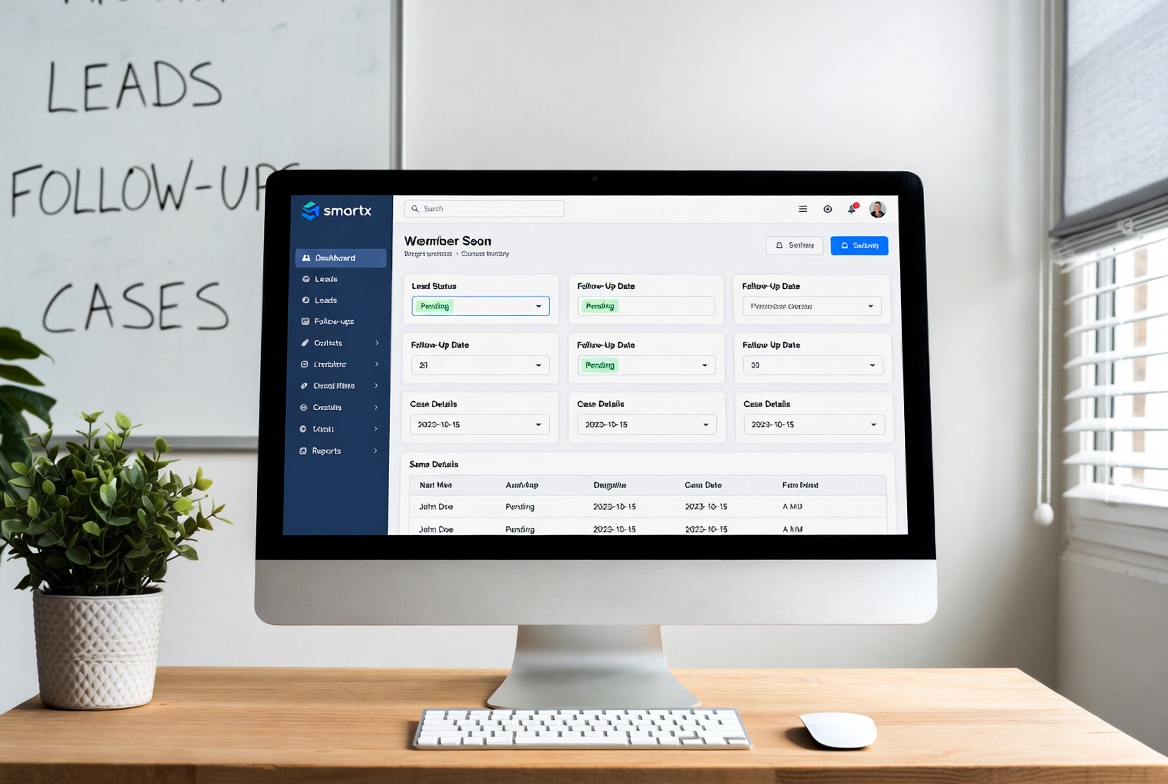
SmartX CRM has helped hundreds of healthcare organizations across all sizes implement successful CRM strategies. From solo practitioners to large hospital networks, we provide tailored solutions that drive real results.
For more insights on healthcare CRM implementation and optimization, explore our comprehensive guides on CRM software for healthcare and top benefits of CRM software for healthcare providers. Our specialized solutions also include lead generation for psychiatrists and therapists, nutritionist lead generation software, and wellness coaches lead generation.
Ready to transform your healthcare practice with the right CRM solution? Contact SmartX CRM today to discover how our healthcare-specific lead generation and patient management solutions can help your organization thrive in 2025 and beyond.



Leave a comment: